Reddit Comments Bulk Export: How to Download Thousands of Comments to CSV
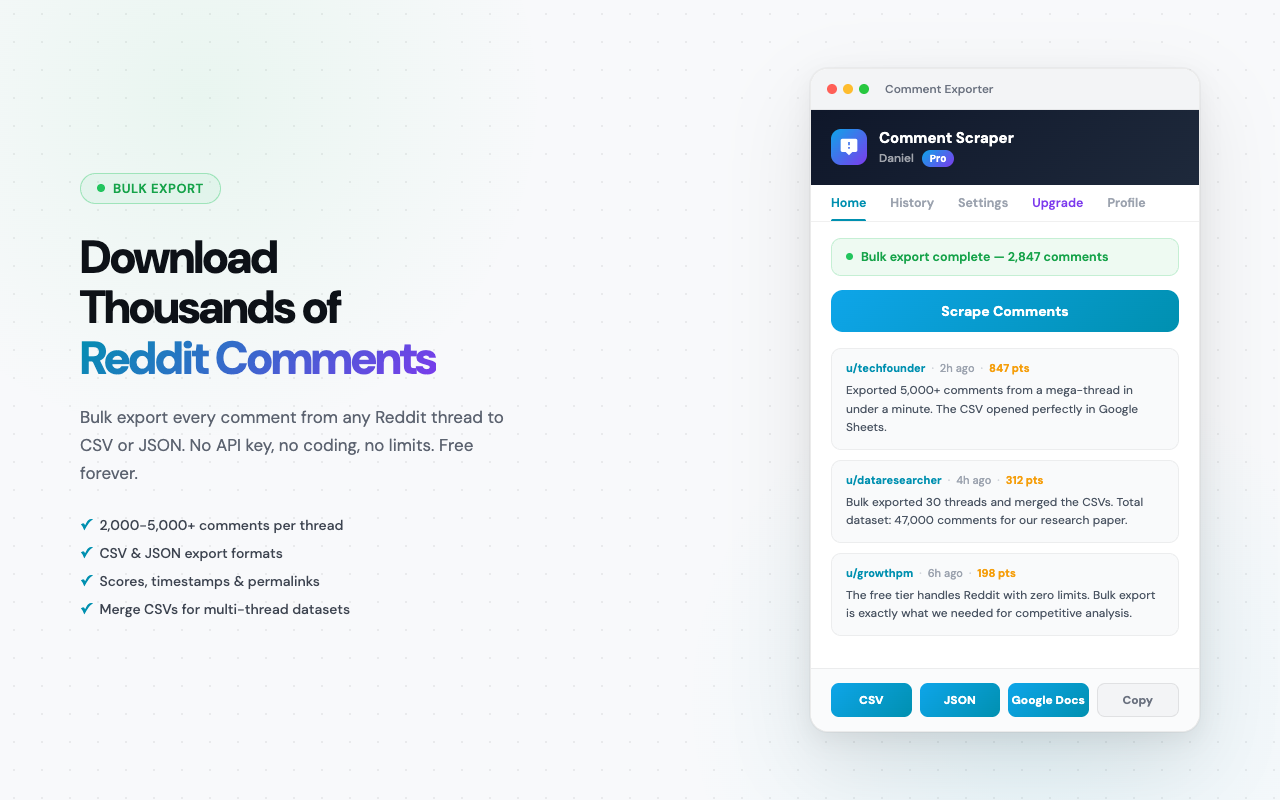
Quick Answer: The fastest way to bulk export Reddit comments is with the Comment Exporter Chrome extension. Open any Reddit thread, click scrape, and download every comment as a CSV or JSON file. Free tier, no API keys, no coding. For automated multi-thread pipelines, use PRAW (Python). If you want the data in a spreadsheet, the free Reddit comment scraper extension exports it to CSV.
Why Bulk Export Reddit Comments?
Individual Reddit comments are anecdotes. Thousands of comments are data. Bulk exporting lets you move from "I saw someone complain about X" to "437 out of 2,100 comments mention the same pain point." That shift changes how you make product, marketing, and research decisions.
Here are the most common reasons people bulk export Reddit comments:
- Market research: Analyze what real users say about your product category across dozens of threads. Find patterns in complaints, feature requests, and praise that individual thread browsing misses.
- Competitive intelligence: Export comments from competitor product threads to build a structured dataset of user feedback. Filter by star-equivalent language ("love it," "switched to," "terrible") to quantify sentiment.
- Academic research: Collect large-scale comment datasets for NLP studies, discourse analysis, or behavioral research. The structured CSV output feeds directly into R, Python, and SPSS workflows.
- Content research: Find the most-upvoted responses across a topic cluster. The highest-scoring comments reveal what information people value most — invaluable for blog posts, documentation, and product copy.
- Brand monitoring: Track every mention of your brand, product, or founder name across relevant subreddits. Bulk export gives you a complete record, not just the threads you happened to notice.
Method 1: Chrome Extension (No Code, Free)
The Comment Exporter Chrome extension is the fastest path from "I want this data" to "I have a CSV on my desktop." Reddit is free to start, and Pro ($9.99/mo) has no cap on Reddit scrapes.
Step-by-step bulk export
- Install the extension from the Chrome Web Store. Takes 10 seconds.
- Navigate to any Reddit thread you want to export. Works on both old.reddit.com and new Reddit.
- Click the extension icon in your browser toolbar and hit "Scrape." The extension reads every visible comment on the page, including nested replies.
- Download your file. Choose CSV for spreadsheets or JSON for developer workflows. The file downloads instantly — your data never leaves your browser.
What the CSV includes
Every bulk export captures these fields per comment:
| Field | Example | Why It Matters |
|---|---|---|
| Comment body | "Switched from Notion to Obsidian last month..." | The raw text for analysis |
| Author | u/startup_founder_42 | Track prolific contributors |
| Score | 347 | Community validation signal |
| Timestamp | 2026-02-15 14:23:00 | Time-series analysis |
| Comment depth | 0 (top-level) or 2 (nested reply) | Distinguish direct responses from conversation threads |
| Subreddit | r/startups | Source attribution |
| Awards | 2 | High-value signal — awarded comments carry weight |
| Permalink | /r/startups/comments/abc123/.../xyz789 | Link back to original for context |
Handling large threads
Reddit threads with 1,000+ comments often collapse deeper replies behind "load more" links. For maximum data capture:
- Sort comments by "Best" or "Top" to get the highest-value content first
- Click "load more comments" links to expand collapsed threads before scraping
- For mega-threads (5,000+ comments), consider running the export after expanding the top 2-3 levels of replies — this captures 80-90% of the substantive discussion
Best for: Researchers, marketers, founders, and analysts who need structured Reddit data without writing code. One thread at a time, merge CSVs for multi-thread datasets.
Method 2: PRAW (Python Reddit API Wrapper)
PRAW is the standard Python library for accessing the Reddit API. It requires coding but offers programmatic access to bulk export comments from multiple threads, entire subreddits, or specific user profiles.
Setup (5-10 minutes)
- Install PRAW:
pip install praw - Create a Reddit app at reddit.com/prefs/apps (choose "script" type)
- Note your
client_id,client_secret, anduser_agent
Bulk export script
import praw
import csv

reddit = praw.Reddit(
    client_id="YOUR_CLIENT_ID",
    client_secret="YOUR_CLIENT_SECRET",
    user_agent="bulk-export-script v1.0"
)

# Target thread
submission = reddit.submission(url="https://www.reddit.com/r/startups/comments/THREAD_ID/")
submission.comments.replace_more(limit=None)  # Expand all "load more"

with open("reddit_bulk_export.csv", "w", newline="", encoding="utf-8") as f:
    writer = csv.writer(f)
    writer.writerow(["body", "author", "score", "created_utc", "depth", "permalink"])

    for comment in submission.comments.list():
        writer.writerow([
            comment.body,
            str(comment.author) if comment.author else "[deleted]",
            comment.score,
            comment.created_utc,
            comment.depth,
            f"https://reddit.com{comment.permalink}"
        ])
Multi-thread bulk export: Loop through a list of URLs or use subreddit.hot(limit=50) to pull the top 50 threads from a subreddit and export comments from each.
Limitations
- Rate limits: 60 requests per minute with OAuth. Large exports take time.
- 1,000-item cap: Reddit's API returns a maximum of 1,000 items per listing request.
replace_more(limit=None)helps but can be slow on threads with 10,000+ comments. - Setup overhead: Requires Python, API credentials, and script maintenance when Reddit changes their API.
Best for: Developers building automated data pipelines, recurring exports, or multi-subreddit scraping workflows.
Method 3: Web-Based Tools
Several web platforms offer Reddit comment export as a service. You paste a URL, they return a file. No installation, no coding.
| Tool | Pricing | Output | Limitations |
|---|---|---|---|
| ExportComments.com | Starts at $12/mo | CSV, Excel | Monthly export limits, data passes through their servers |
| Apify Reddit Scraper | Free tier + usage-based | JSON, CSV | Requires account setup, credit-based pricing |
| Phantombuster | $69/mo+ | CSV, JSON | Expensive for casual use, complex interface |
Best for: Users who cannot install a Chrome extension (e.g., company-managed browsers) and do not write code.
Which Bulk Export Method Should You Use?
| Scenario | Best Method | Why |
|---|---|---|
| Export one thread quickly | Chrome extension | 30 seconds, free, no setup |
| Export 10-50 threads for a research project | Chrome extension | Export each thread, merge CSVs in Sheets |
| Automated daily/weekly exports | PRAW | Scriptable, schedulable, programmable |
| Export entire subreddit history | PRAW | API supports pagination through subreddit listings |
| Cannot install extensions or code | Web-based tools | Browser-only, paste URL and download |
What To Do After Bulk Exporting
Raw data is not insight. Here is how to turn a bulk Reddit comment export into actionable intelligence:
- Clean the data: Remove deleted/removed comments (body = "[deleted]" or "[removed]"). Filter out bot accounts if needed.
- Sort by score: The highest-voted comments represent community-validated opinions. Start your analysis with the top 10% by score.
- Keyword search: Use spreadsheet filters to find every mention of specific products, features, or pain points. This is faster and more reliable than scrolling through Reddit manually.
- Run sentiment analysis: Feed the comment body column into ChatGPT, Claude, or a Python NLP library to classify sentiment at scale. Our Reddit sentiment analysis guide walks through this step by step.
- Merge multi-thread exports: If you exported from several threads, combine the CSVs in Google Sheets or Excel. Add a "source_thread" column so you can trace insights back to specific discussions.
- Visualize patterns: Create pivot tables by subreddit, date, or score range. Charting comment volume over time reveals when discussions spike — useful for launch timing and trend detection.
Frequently Asked Questions
How many Reddit comments can I bulk export at once?
With the Chrome extension, you can export every comment visible in a thread — often 2,000 to 5,000+ comments. The extension handles expanded replies automatically. PRAW can access up to 1,000 items per API request, but looping with replace_more() lets you collect entire threads. Very large threads (10,000+ comments) may require patience with either method.
Is Reddit bulk comment export free?
Yes. The Comment Exporter Chrome extension offers free Reddit scraping to start, no card required, and Pro ($9.99/mo) has no cap on Reddit scrapes. PRAW is also free but requires Python and Reddit API credentials. Web-based tools like ExportComments.com charge monthly fees.
What format does the bulk export come in?
CSV (opens directly in Excel and Google Sheets) or JSON (for developers and data pipelines). Each row includes the comment text, author, score, timestamp, subreddit, user flair, awards count, comment depth, and permalink.
Can I bulk export comments from multiple Reddit threads?
With the Chrome extension, export one thread at a time and merge the CSV files in your spreadsheet tool. PRAW can loop through multiple threads programmatically — see the multi-thread script example above. For most research projects, exporting 10-20 key threads and merging them takes under 30 minutes with the extension.
Is it legal to bulk export Reddit comments?
Scraping publicly available Reddit comments for personal research, analysis, or archiving is generally considered acceptable. PRAW uses the official Reddit API, which is explicitly permitted. Browser-based scraping (viewing data the same way any human visitor would) is also widely practiced. Do not scrape private subreddits, redistribute data commercially without permission, or violate Reddit's Terms of Service.
Does my data leave my browser?
Not with the Chrome extension. Comment Exporter processes everything locally in your browser. No data is sent to any server. The CSV or JSON file downloads directly to your machine. This matters for academic researchers handling IRB-sensitive data and businesses with data residency requirements.
See also on Adlicio: Adlicio's Reddit comment scraper (no API key needed).
Related Articles
- How to Export Reddit Comments: 3 Methods Compared
- Best Reddit Scraping Tools in 2026: Complete Comparison
- How to Run Sentiment Analysis on Reddit Comments
- Reddit Comment Scraper vs PRAW: Complete Comparison
- Reddit Market Research Guide: From Comments to Insights
- Scraping for Academic Research: An Ethical Guide
- More Guides on the Blog