---
title: "7 Tools to Scrape YouTube Comments for Market Research (2026)"
description: "Compare 7 tools to scrape YouTube comments for market research: a Chrome extension, the YouTube Data API, Python, Selenium, Octoparse, Apify and AI scrapers."
canonical: https://www.redditcommentscraper.com/article/youtube-comment-scraping-methods-market-research
---
# 7 Tools to Scrape YouTube Comments for Market Research (2026)
Published 2026-02-27. https://www.redditcommentscraper.com/article/youtube-comment-scraping-methods-market-research
The easiest tool to scrape YouTube comments for market research is a Chrome extension. With Reddit Comment Scraper, you open the video, click Scrape Comments and download up to 5,000 comments and replies as CSV or JSON, with no API key or code. YouTube is on its Starter plan, $49 a month. For hundreds of videos, use the YouTube Data API (10,000 free quota units a day) or a cloud scraper such as Apify. Here are the seven tools and methods this guide compares:
- **[Reddit Comment Scraper](https://www.redditcommentscraper.com/youtube-comment-scraper.html) Chrome Extension**: A browser tool that exports up to 5,000 comments and replies per video to CSV or JSON. Starter plan, $49 a month.
- **[YouTube Data API](https://developers.google.com/youtube/v3)**: A structured, official option for large-scale data extraction with a 10,000-unit daily free quota.
- **Python with [BeautifulSoup](https://www.crummy.com/software/BeautifulSoup/)**: A coding approach for quick scraping of dynamic comment sections.
- **[Selenium](https://www.selenium.dev/) or [Puppeteer](https://pptr.dev/)**: Browser automation tools for handling infinite scrolling and interactive elements.
- **No-Code Tools like [Octoparse](https://www.octoparse.com/)**: User-friendly platforms that automate data extraction without coding.
- **[Apify](https://apify.com/) Actors**: Pre-built scrapers for processing large datasets with proxy support.
- **AI-Powered Scraping**: Advanced tools that use machine learning to extract and analyze comment data.
Each method has its strengths and limitations, depending on your technical skills, project size, and data needs. Below, we'll break them down in detail to help you choose the right approach for your market research.
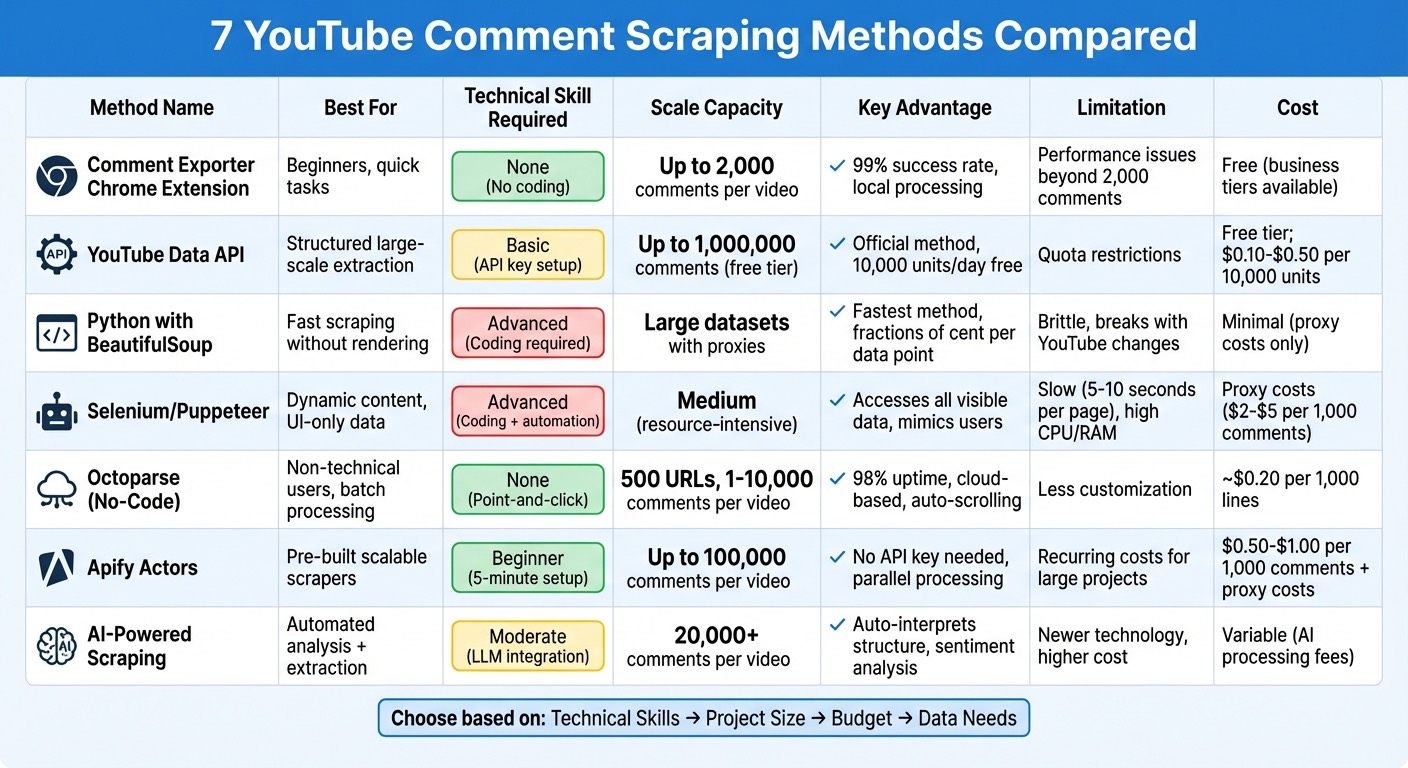
Comparison of 7 YouTube Comment Scraping Methods for Market Research
## 1. [Reddit Comment Scraper](https://www.redditcommentscraper.com/youtube-comment-scraper.html) Chrome Extension
### Ease of Implementation and Setup
Install Reddit Comment Scraper from the Chrome Web Store. Open a YouTube video or Short, click the extension icon, then click Scrape Comments. When it finishes, click CSV, JSON or Google Docs, or copy the comments. There is no API key, no Google Cloud project and no code. The scrape runs in your own browser.
YouTube is on the Starter plan, $49 a month or $399 a year. The free and Pro plans cover Reddit only.
### Data Extraction Capabilities
Each row has the comment author, the posting time as YouTube shows it (for example "2 weeks ago"), the like count, the thread level, whether the row is a reply, the comment text and any links in it. It works on any public video, so you do not need to own the channel.
### Scalability for Large Datasets
The extension reads up to 5,000 comments and replies per video, one video at a time. That covers most videos you would study by hand. For hundreds of videos, or a weekly pull, use the YouTube Data API or a cloud scraper such as Apify, covered below.
### Suitability for Market Research Purposes
The export suits sentiment analysis, keyword counts and finding customer pain points. Pull the comments from a few competitor videos, sort by likes, and read the top ones for repeated complaints, questions and wishes. You can also send the comments to ChatGPT or Claude from the extension and ask for the main themes.
###### sbb-itb-eded204
## 2. [YouTube Data API](https://developers.google.com/youtube/v3)
### Ease of Implementation and Setup
Getting started with the YouTube Data API v3 is straightforward. Begin by creating a [Google Cloud](https://cloud.google.com/) project, enabling the API, and generating an API key. If you only need to access public comments, the API key will suffice. However, for channel-wide data or moderation features, you'll need [OAuth 2.0](https://oauth.net/2/) credentials.
The API's main endpoints are `commentThreads.list` and `comments.list`. Use `commentThreads.list` to retrieve top-level comments, while `comments.list` fetches additional replies if a thread has more than five inline responses. The API delivers structured JSON data, including details like author names, authorChannelUrl, comment text (plain and HTML), like counts, and timestamps. This setup ensures you can extract data efficiently through clearly defined endpoints.
### Data Extraction Capabilities
The API provides detailed metadata, making it a powerful tool for market research. Key fields include:
- `textOriginal` (raw text)
- `textDisplay` (HTML-formatted comment text)
- `authorDisplayName`
- `authorChannelId`
- `likeCount`
- `publishedAt` and `updatedAt`
The `totalReplyCount` field measures engagement, and `authorChannelUrl` helps track user profiles. However, since display names can change, it's smarter to rely on `authorChannelId` for user tracking.
### Scalability for Large Datasets
The API is designed to handle large-scale data extraction efficiently, thanks to its quota system. Each request deducts units from your daily quota, with the free tier offering 10,000 units per day. A standard read operation costs just 1 unit, and by setting `maxResults` to 100, you can retrieve up to 1,000,000 comments within the free tier.
| Operation | Quota Cost (Units) | Max Results per Call |
| --- | --- | --- |
| `commentThreads.list` (Read) | 1 | 100 |
| `comments.list` (Read) | 1 | 100 |
| `comments.insert` (Write) | 50 | N/A |
To make the most of your quota, set `maxResults=100` and paginate with `nextPageToken` for videos with more than 100 comments. If you need more than the default quota, additional units can be purchased, costing between $0.10 and $0.50 per 10,000 units.
### Suitability for Market Research Purposes
The structured data provided by the API is perfect for tasks like sentiment analysis, keyword tracking, and engagement monitoring. By using the `order=time` parameter, you can fetch the newest comments first and stop paginating once you encounter a comment ID already stored, saving your quota for ongoing research.
> "Use commentThreads.list with part=snippet,replies, paginate with nextPageToken, store the raw JSON payload alongside normalized records, and build post-fetch filters for date, user, and policy state." - CommentShark Team
For sentiment analysis, it's better to store `textOriginal` since `textDisplay` includes HTML formatting. With OAuth 2.0 authorization, you can filter comments by `moderationStatus`, including those flagged as `likelySpam`, which helps clean your dataset before analysis. Combining the API's robust data structure with other scraping methods can uncover valuable insights for market research.
## 3. Python with [BeautifulSoup](https://www.crummy.com/software/BeautifulSoup/) and Requests
### Ease of Implementation and Setup
Python's **Requests** and **BeautifulSoup** libraries offer a simple and efficient way to extract YouTube comments without the added complexity of browser rendering. Both are free, open-source tools, making them accessible for developers. The process is pretty straightforward: use Requests to fetch the HTML source of a YouTube video page, then use BeautifulSoup to locate embedded JSON objects like `ytInitialData` and `ytInitialPlayerResponse`. These objects contain metadata and the initial set of comments.
However, there's a catch. YouTube loads comments dynamically, meaning they don't appear in the standard HTML structure. To access them, you'll need to parse these JSON objects, locate the continuation token, and send a POST request to YouTube's internal `/youtubei/v1/next` endpoint to retrieve additional comments.
### Data Extraction Capabilities
This approach gives you access to nearly all visible data on the page, even deeply nested metadata. For example, like counts are often buried several levels deep within the `segmentedLikeDislikeButtonViewModel`. Compared to tools like Selenium, this method is faster because it skips the need for JavaScript rendering.
That said, it does come with a downside: it's highly sensitive to changes in YouTube's structure. As the Live Proxies Editorial Team explains:
> This method is fast, but it's also brittle. If YouTube changes its page structure, the regex will break.
To keep things running smoothly, you'll need to regularly update your selectors whenever YouTube makes adjustments to its internal API.
### Scalability for Large Datasets
When dealing with large datasets, this method performs well in terms of speed and efficiency. However, scaling up requires additional infrastructure. Since a single IP address won't cut it, you'll need **rotating residential proxies** to avoid detection by YouTube’s anti-bot systems. Combine that with strategies like handling rate limits, implementing backoff mechanisms, and using realistic `User-Agent` headers to mimic human behavior.
For added reliability, save your last fetched continuation token and timestamp. This way, if your script gets interrupted, it can pick up right where it left off. With these measures in place, you can build a robust setup capable of handling large-scale data extraction for market research.
### Suitability for Market Research Purposes
This method shines when paired with Python's data analysis tools, making it an excellent choice for market research. The structured JSON data is perfect for sentiment analysis and trend tracking. By combining BeautifulSoup with libraries like **[Pandas](https://pandas.pydata.org/)** for data manipulation and **[NLTK](https://www.nltk.org/)** or **[VADER](https://github.com/cjhutto/vaderSentiment)** for sentiment analysis, you can create a streamlined pipeline. Start by fetching and parsing data, then analyze it, and finally export detailed reports.
From a cost perspective, web scraping is incredibly economical. Extracting data costs just fractions of a cent per point, compared to the $5–$50+ per response you might pay for traditional research methods. This approach turns raw HTML into structured, actionable data, ready for analysis. Just ensure you're following YouTube's guidelines by reviewing its robots.txt file and terms of service.
## 4. [Selenium](https://www.selenium.dev/) or [Puppeteer](https://pptr.dev/) for Automation
### Ease of Implementation and Setup
Both Selenium and Puppeteer are designed to simulate real user behavior, making them effective for navigating YouTube's dynamic comment sections. Setting them up requires a moderate level of technical knowledge. With Selenium, you’ll need to install a WebDriver, while Puppeteer operates on [Node.js](https://nodejs.org/en) and comes bundled with [Chromium](https://www.chromium.org/), which simplifies the initial setup process.
One of the biggest hurdles is YouTube's anti-bot detection systems. Browser automation tools often leave detectable traces that trigger these defenses. To reduce detection risks, you can use stealth plugins. For example, Puppeteer users can integrate `puppeteer-extra-plugin-stealth` to mask common automation fingerprints. Another challenge is handling infinite scrolling to load all comments, which requires careful scripting.
### Data Extraction Capabilities
Once configured, both tools make it easier to collect data by mimicking natural user interactions. They can access any visible data on the page, such as author names, comment text, like counts, reply counts, relative timestamps (e.g., "2 hours ago"), and creator-heart status. To ensure elements are fully loaded before extraction, use dynamic wait methods like `WebDriverWait` in Selenium or `waitForSelector` in Puppeteer instead of relying on fixed sleep timers.
You can also automate interactions like clicking the "Sort by" dropdown to capture both "Top comments" for high-impact feedback and "Newest first" for tracking real-time trends. This level of control makes these tools highly adaptable for different data collection needs.
### Scalability for Large Datasets
Browser automation is resource-intensive, requiring significant CPU and RAM due to full-page rendering. Loading and scrolling through pages typically takes 5–10 seconds, making it slower than API-based methods. In a test by Marius Bernard, a Web Scraping Engineer at Roundproxies, 500 metadata extractions using datacenter IPs resulted in a 30% failure rate after the first 50 requests due to throttling. Switching to rotating residential proxies reduced the failure rate to under 5%.
To improve performance, you can use rotating residential or mobile proxies, introduce random delays (2–5 seconds), vary scroll distances to mimic human behavior, and block nonessential elements like images, CSS, and fonts.
### Suitability for Market Research Purposes
For market research, browser automation is a powerful tool for capturing the "voice of the customer." It enables detailed sentiment and trend analysis by extracting data that can be processed with Python libraries like TextBlob for basic polarity scoring or Hugging Face transformers for more advanced sentiment classification. Tools like Pandas and regex filtering can help clean the data and identify frequently mentioned keywords or emerging topics.
An essential step is converting relative timestamps (e.g., "3 days ago") into ISO date formats during extraction. While this approach is slower and more complex than others, it offers unmatched flexibility. For example, it can access UI-only data like pinned comments and live chat, making it a versatile choice for comprehensive market research.
## 5. No-Code Tools like [Octoparse](https://www.octoparse.com/)
### Ease of Implementation and Setup
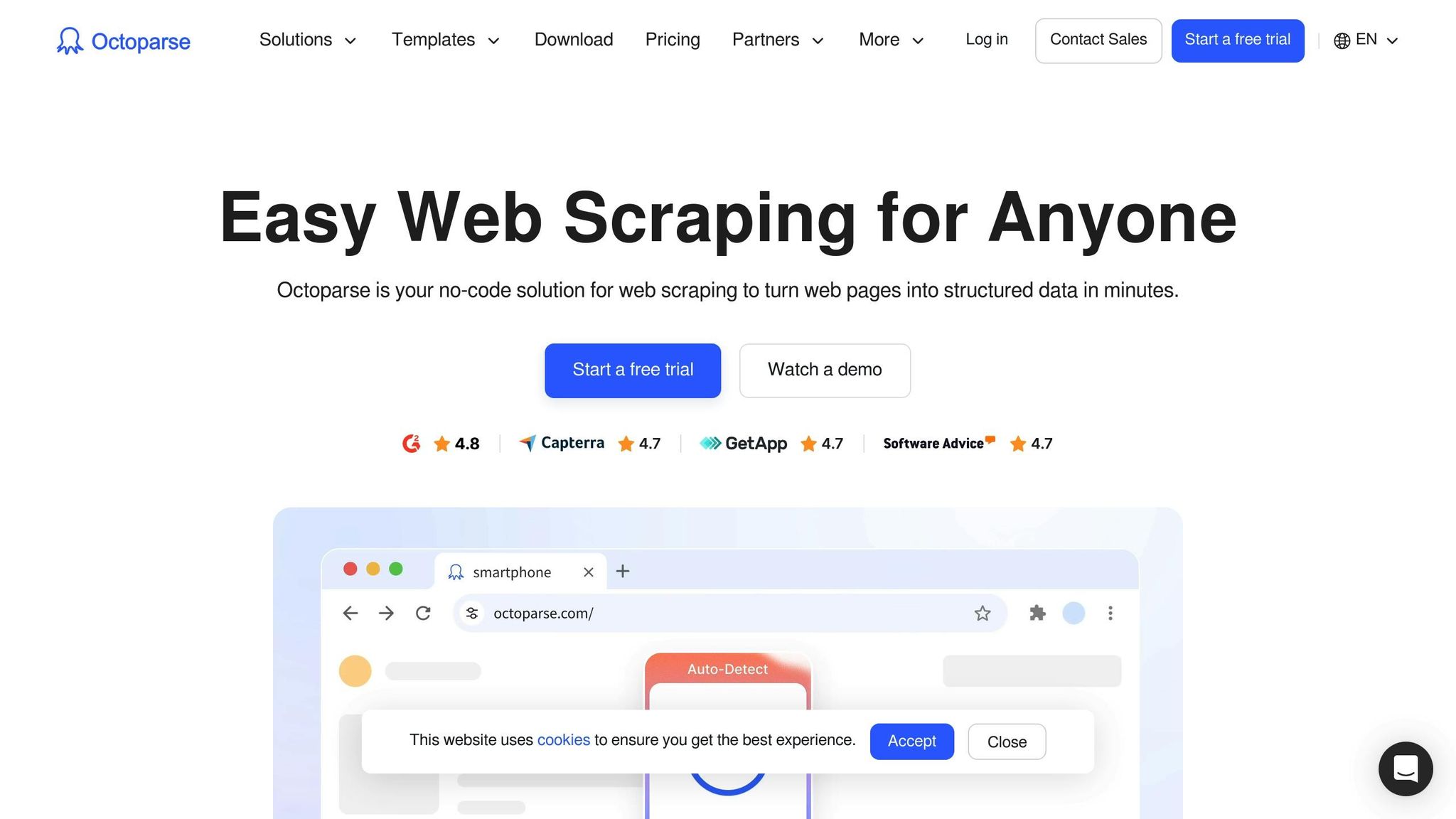
No-code tools have revolutionized how we approach tasks like scraping YouTube comments, making the process far more accessible. Tools like Octoparse eliminate the need for coding skills. All it takes is pasting a video URL into the platform and running a pre-built template. For those with specific requirements, Octoparse’s auto-detection feature scans the YouTube page, identifies the structure of comments, and sets up the extraction process automatically. As Abigail Jones, a Data Analyst at Octoparse, puts it:
> I am not technical. Although I know nothing about programming, I still manage to take advantage of both web crawling and web scraping with a tool like Octoparse.
Another standout feature is its ability to automate infinite scrolling, sparing users from the tedious task of manually loading comments. This streamlined approach makes it an excellent choice for those needing quick, actionable insights.
### Data Extraction Capabilities
Octoparse doesn’t just scrape the surface; it digs deep. It can extract detailed information like usernames, comment text, like counts, reply counts, and timestamps. Additionally, it captures key video data such as the title, view count, upload date, channel name, and subscriber count. For nested replies, Octoparse ensures every detail - authors, reply content, timestamps, and like counts - is included.
The tool’s templates can handle up to 500 YouTube URLs in one batch, extracting between 1 and 10,000 comments per video. It even logs the extraction timestamp, allowing users to track shifts in audience sentiment over time. This level of detail makes managing large datasets straightforward and efficient.
### Scalability for Large Datasets
When working with massive datasets, Octoparse truly shines. Its cloud-based runs feature rotating proxies and CAPTCHA solvers, ensuring nearly 98% uptime during high-volume operations. Premium features allow data extraction from hundreds of videos in under an hour - something that would take days if done manually.
For viral videos with tens of thousands of comments, Octoparse suggests starting small, extracting around 1,000–2,000 comments as a test, and then scaling up. If full conversation threads aren’t necessary, limiting reply depth to 10–20 replies per comment can speed up the process. Pricing is straightforward, too - about $0.20 per 1,000 lines of data extracted. Plus, free templates are available for simpler tasks. This combination of automation and scalability makes Octoparse a powerful ally for market analysts handling large-scale projects.
### Suitability for Market Research Purposes
Octoparse isn’t just about data collection - it’s about turning that data into insights. In late 2020, Abigail Jones used the tool to analyze public sentiment around Thanksgiving celebrations during the COVID-19 pandemic. She scraped 198 comments from four YouTube videos and found that 10.7% supported pandemic precautions, while 61.4% mocked the press or dismissed the measures as overreactions.
The extracted data can be exported to formats like Excel, CSV, or JSON, making it ready for further analysis. Whether you’re conducting sentiment analysis, identifying customer pain points, or spotting trends, Octoparse delivers structured outputs that make the job easier - all without requiring a single line of code.
## 6. Custom Scrapers with [Apify](https://apify.com/) Actors
### Ease of Implementation and Setup
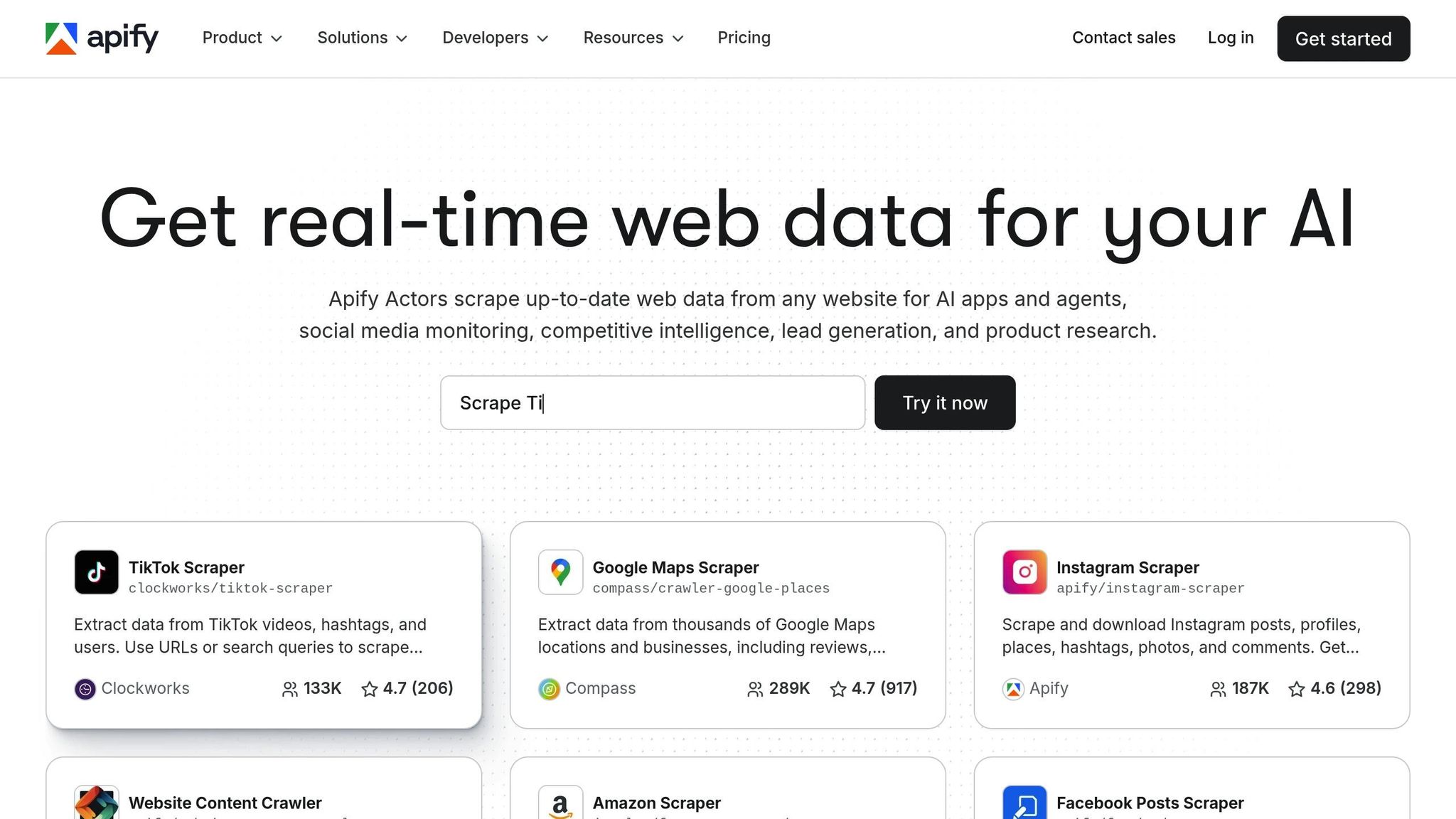
Apify Actors simplify the process of scraping YouTube comments, even for those new to the task. These scrapers are labeled as "Beginner" level on the platform, with setup taking as little as 5 minutes. All you need to do is select a YouTube Comments Scraper from the Apify Store, input the video URLs, tweak settings like the number of comments to fetch or the sorting order, and hit "Start." The platform also takes care of technical details like proxy rotation to minimize the risk of being blocked.
For developers, Apify Actors integrate seamlessly with Python, JavaScript, or REST APIs. A key benefit is that you don’t need a YouTube Data API key, which means you can sidestep quota restrictions that often limit large-scale scraping projects. Plus, Apify’s free plan includes $5.00 in monthly credits, which is enough to scrape hundreds of videos for testing purposes.
### Data Extraction Capabilities
These tools are capable of extracting a wealth of information, including full comment text (with line breaks and replies), author details like display names and channel IDs, and engagement metrics such as like and reply counts. They also indicate whether a comment was hearted or pinned by the creator and provide timestamps in both relative formats (e.g., "3 years ago") and precise ISO 8601 formats.
For instance, the YouTube Comments Scraper by API Dojo can pull up to 100,000 comments from a single video. This level of detail is particularly useful for market research, as it provides a complete view of audience discussions and sentiments.
### Scalability for Large Datasets
When it comes to handling large volumes of data, Apify Actors deliver reliable performance. They support parallel processing, enabling users to scrape 1–5 videos simultaneously. Advanced Actors also offer an "incremental mode", which fetches only new comments since the last run - perfect for ongoing brand monitoring.
Some scrapers can process up to 1,000 videos from a single channel in a single run. For projects involving more than 1,000 comments, using residential proxies is recommended to avoid hitting rate limits. Proxy costs typically range between $2 and $5 per 1,000 comments, while scraper pricing itself falls between $0.50 and $1.00 per 1,000 comments. This scalability ensures that even large-scale projects remain efficient and cost-effective.
### Suitability for Market Research Purposes
Apify Actors are excellent tools for turning raw comment data into meaningful insights. As SimpleAPI puts it:
> "YouTube Comments Scraper extracts comments from any YouTube video, capturing usernames, text, timestamps, likes, replies, and comment IDs. Ideal for sentiment analysis, audience research, trend monitoring, and automating structured YouTube comment data collection at scale."
The scraped data can be exported in various formats - JSON, CSV, Excel, or XML - making it easy to dive into analysis right away. With this data, researchers can track sentiment changes, uncover trending topics using the "Newest First" sorting option, and compare engagement metrics across different channels to gain a deeper understanding of audience behavior.
## 7. AI-Powered Scraping with [ScrapeGraphAI](https://scrapegraphai.com/)
### Ease of Implementation and Setup
AI-powered scraping takes a modern approach by using **Large Language Models (LLMs)** to simplify data extraction from dynamic web pages. Instead of relying on manual HTML parsing or complex browser automation, these tools can automatically interpret and pull data from embedded JSON objects like `ytInitialData`. This means you can extract structured data without needing to configure selectors manually. The AI does the heavy lifting, interpreting data structures and delivering it in a format that's ready for analysis.
### Scalability for Large Datasets
For projects requiring the processing of large datasets, AI-powered tools handle the task with ease. They can process multiple YouTube URLs or even entire playlists, extracting over 20,000 comments per video. A hybrid system ensures scalability by combining API workers for bulk top-level comments and browser workers for UI-specific content like pinned comments or live chats. This setup strikes a balance between speed and thoroughness, making it possible to gather all relevant data without straining system resources.
### Data Extraction Capabilities
These tools go beyond basic scraping, capturing detailed comment data such as full text, author information, timestamps, and engagement metrics. Thanks to their contextual understanding, they maintain consistent and reliable data extraction, even when website layouts change. This reliability is key for ongoing research and analysis.
### Suitability for Market Research Purposes
When it comes to market research, AI-powered scraping is a game-changer. By delivering pre-structured data, it simplifies sentiment analysis and trend detection. This allows researchers to focus on uncovering audience sentiment trends, whether analyzing reactions across multiple videos or tracking changes over time. The result is a streamlined process for gaining deeper insights into audience behavior.
## How to Scrape YouTube Videos and Comments (Tutorial 2025)
## Conclusion
There are seven effective ways to extract YouTube comment data for market research, each catering to different skill levels and project needs. The **Reddit Comment Scraper Chrome extension** is the easiest start, with no setup and no code. The **YouTube Data API** provides an official option but comes with quota restrictions. For those with coding expertise, **Python with BeautifulSoup** offers speed, while **Selenium** and **Puppeteer** excel at handling dynamic content but require more resources. Non-technical users can rely on no-code tools like **Octoparse**, which feature intuitive interfaces. For larger-scale needs, **Apify Actors** offer scalable, ready-made scrapers. Finally, **AI-powered scraping** not only gathers data but also analyzes it for sentiment, delivering actionable insights.
For those just starting out, the Reddit Comment Scraper Chrome extension is the easiest entry point. It needs no API key, no Google Cloud setup and no code, and it runs in your own browser.
When choosing a method, consider your budget, project size, and technical expertise. Small-scale projects can often get by with simple browser extensions, while larger, more complex research efforts may require automated tools with features like proxy rotation to avoid detection. As Jan from Databar Blog aptly puts it:
> The difference between tools that work and those that disappoint comes down to understanding YouTube's restrictions and choosing the right approach for your specific needs.
The approaches listed here cover a wide range of options, ensuring that you can find a solution tailored to your skills and research objectives. Dive into the methods outlined above to implement the right strategy and turn YouTube comments into valuable market insights.
## FAQs
### Which method is best for my project size and skill level?
The method you choose will largely depend on your coding skills and the size of your project.
- **If you’re experienced and working on large-scale projects**, Python libraries or APIs are a great choice. They allow for automated, scalable scraping that can handle complex tasks efficiently.
- **If you’re new to coding or tackling smaller projects**, no-code tools are a simpler option. These tools don’t require programming knowledge and are much easier to use.
### How can I avoid getting blocked when scraping lots of comments?
When scraping large volumes of YouTube comments, it's important to take precautions to avoid getting blocked. One effective approach is using **proxies**, such as residential or rotating proxies, to mask your IP address and distribute requests across multiple locations.
Additionally, implementing **rate limiting** and throttling your requests can lower the risk of detection. This means spacing out your requests to avoid overwhelming YouTube's servers or triggering anti-bot measures.
To streamline this process, consider using tools that handle **proxy rotation** and regulate request frequency automatically. These tools can help maintain smooth and uninterrupted access during extensive scraping tasks.
### What should I analyze first once I export the comments?
After exporting the comments, dive into the data with **sentiment analysis** to classify them as positive, neutral, or negative. Pay attention to **common themes**, popular topics, or recurring questions. This process sheds light on audience sentiment, highlights their preferences, and identifies areas of interest or concern - offering key insights that can be incredibly useful for market research.
{"@context":"https://schema.org","@type":"FAQPage","mainEntity":[{"@type":"Question","name":"Which method is best for my project size and skill level?","acceptedAnswer":{"@type":"Answer","text":"The method you choose will largely depend on your coding skills and the size of your project.
- If you’re experienced and working on large-scale projects, Python libraries or APIs are a great choice. They allow for automated, scalable scraping that can handle complex tasks efficiently.
- If you’re new to coding or tackling smaller projects, no-code tools are a simpler option. These tools don’t require programming knowledge and are much easier to use.
"}},{"@type":"Question","name":"How can I avoid getting blocked when scraping lots of comments?","acceptedAnswer":{"@type":"Answer","text":"When scraping large volumes of YouTube comments, it's important to take precautions to avoid getting blocked. One effective approach is using proxies, such as residential or rotating proxies, to mask your IP address and distribute requests across multiple locations.
Additionally, implementing rate limiting and throttling your requests can lower the risk of detection. This means spacing out your requests to avoid overwhelming YouTube's servers or triggering anti-bot measures.
To streamline this process, consider using tools that handle proxy rotation and regulate request frequency automatically. These tools can help maintain smooth and uninterrupted access during extensive scraping tasks.
"}},{"@type":"Question","name":"What should I analyze first once I export the comments?","acceptedAnswer":{"@type":"Answer","text":"After exporting the comments, dive into the data with sentiment analysis to classify them as positive, neutral, or negative. Pay attention to common themes, popular topics, or recurring questions. This process sheds light on audience sentiment, highlights their preferences, and identifies areas of interest or concern - offering key insights that can be incredibly useful for market research.
"}}]}
For bigger pulls and analysis, see the [YouTube MCP](https://tryadlicio.com/mcp/youtube) and [Adlicio pricing](https://tryadlicio.com/pricing).