Amazon Review Analyzer: 5 Analysis Tools That Turn Reviews Into Product Insights
Why Analyze Amazon Reviews?
Amazon reviews are the largest publicly accessible database of consumer product opinions on the internet. Every review is unsolicited feedback from a verified buyer — no survey bias, no leading questions, no incentive distortion. For anyone building, selling, or marketing physical products, that data is worth more than most paid research reports.
Four specific use cases make Amazon review analysis worth the effort:
- Product development: Reviews reveal exactly what customers wish a product did differently. A DTC skincare brand analyzing competitor reviews found that 34% of 1-star reviews for a bestselling moisturizer mentioned "greasy residue." They formulated their competing product to absorb faster and made that the headline of their listing. That single insight — extracted from review data — became their primary differentiator.
- Competitive intelligence: Your competitors' reviews are a public audit of their strengths and weaknesses. Export 500 reviews from a competing product and you have a detailed map of what they do well and where they fall short.
- Market research: Before launching a product in a new category, analyzing existing reviews tells you what the market expects, what price points customers consider reasonable, and which features are table stakes versus nice-to-haves.
- Brand monitoring: If you already sell on Amazon, systematic review analysis catches emerging complaints before they become trends. A product that quietly develops a quality control issue shows up in review data weeks before it shows up in return rates.
The challenge is scale. A popular Amazon product can have 10,000+ reviews. Reading them manually is not practical. An Amazon review analyzer — whether a standalone tool or a DIY workflow — turns that volume into structured, actionable intelligence.
What Makes a Good Amazon Review Analyzer?
Not all analysis tools are created equal. Before comparing specific options, here are the five criteria that matter:
- Data access: Can the tool actually get the review data? Some tools scrape directly, others require you to export first. The tool that handles data extraction and analysis in one step saves time — but often costs more.
- Analysis depth: Basic tools count star ratings. Better tools identify sentiment themes, cluster complaints by category, and surface feature requests. The best workflows let you ask custom questions of the data.
- Format flexibility: Can you export the raw data to work with it in other tools? Can you get CSV, JSON, or Excel output? Being locked into a single dashboard limits what you can do.
- Cost: Amazon seller tools like Jungle Scout and Helium 10 bundle review analysis into $29-$49/mo subscriptions. A DIY workflow using Comment Exporter plus ChatGPT costs $49/mo and provides full ownership of the exported data.
- Ease of use: A tool that requires coding or API configuration limits who can use it. The best options work in a browser with no setup.
5 Amazon Review Analysis Tools Compared
Here are five approaches to analyzing Amazon reviews, ranging from free to $49/mo+. Each has tradeoffs worth understanding.
1. Comment Exporter + ChatGPT (Recommended — Free/Low-Cost)
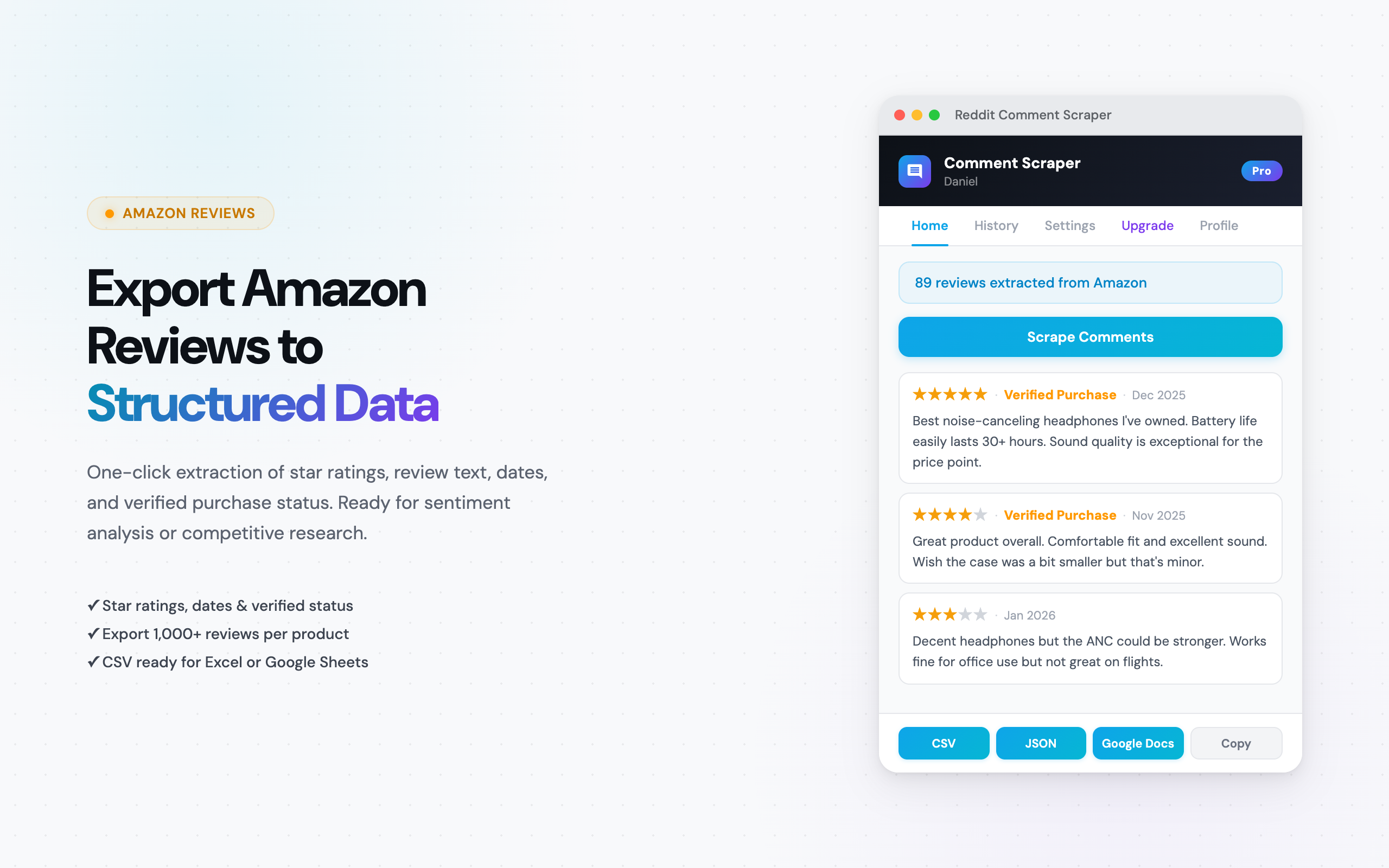
This is a two-step workflow: export Amazon reviews to CSV using the Comment Exporter Chrome extension, then paste the data into ChatGPT for analysis. It is the most flexible approach because you control both the data and the analysis.
How it works:
- Install Comment Exporter from the Chrome Web Store.
- Navigate to any Amazon product page with reviews.
- Click the extension icon, start the scrape, and export to CSV.
- Open the CSV in Google Sheets or Excel for a quick review.
- Copy the review data and paste it into ChatGPT with an analysis prompt.
Sample analysis prompt:
I have exported Amazon reviews for [product name]. The CSV columns are: review text, star rating, date, verified purchase, helpful votes.

Analyze these reviews and provide:
1. Overall sentiment breakdown (positive/neutral/negative percentages)
2. Top 5 things customers love, with approximate frequency
3. Top 5 complaints, with approximate frequency
4. Any feature requests or improvement suggestions mentioned
5. How sentiment differs between verified and unverified purchases

Format as a structured report with bullet points.
Strengths: Full data ownership — you keep the CSV. Flexible analysis — you can ask ChatGPT any question about the data. Works on 20+ Amazon country domains. The export cost is $49/mo, and ChatGPT's free tier handles the analysis.
Limitations: Two-step process (export then analyze). ChatGPT's free tier has token limits — for products with 1,000+ reviews, you may need to analyze in batches or use ChatGPT Plus ($20/mo) for file uploads.
Cost: $49/mo (Comment Exporter Starter). ChatGPT free tier works for most analyses.
Best for: E-commerce sellers, product researchers, marketers, and anyone who wants deep analysis without a $49/mo subscription.
2. Jungle Scout ($49/mo+)
Jungle Scout is the most established Amazon seller toolkit. Its Review Automation and Review Analysis features let you monitor reviews, track sentiment over time, and identify trends across your product catalog.
Strengths: Purpose-built for Amazon sellers. Integrates review analysis with sales data, keyword tracking, and competitor monitoring. The dashboard shows trends over time without manual work. Solid for sellers who need the full toolkit.
Limitations: Expensive if review analysis is your primary use case — the cheapest plan with review features starts at $49/mo. The analysis is structured around Jungle Scout's predefined categories, so you cannot ask custom questions the way you can with ChatGPT. Data export options are limited compared to a dedicated exporter.
Cost: Starts at $49/mo (Suite plan). The $29/mo Starter plan has limited review features.
Best for: Full-time Amazon sellers who already use Jungle Scout for product research and want review analysis integrated into their existing workflow.
3. Helium 10 ($29/mo+)
Helium 10 is another comprehensive Amazon seller suite. Its Review Insights feature analyzes review sentiment, highlights common phrases, and tracks review trends for your products and competitors.
Strengths: Lower entry price than Jungle Scout. Review Insights provides word clouds, sentiment scoring, and phrase frequency analysis. The Starter plan at $29/mo includes basic review analysis features. Chrome extension for quick analysis directly on Amazon product pages.
Limitations: Like Jungle Scout, the analysis is template-driven — you get the metrics Helium 10 has built, not custom queries. Advanced review features require the Platinum ($79/mo) or Diamond ($229/mo) plans. The tool is designed for Amazon sellers, so non-sellers (researchers, marketers, product managers) pay for features they do not use.
Cost: Starts at $29/mo (Starter). Full review analysis features require Platinum at $79/mo.
Best for: Amazon sellers who want a seller toolkit with review analysis included and prefer a lower entry price than Jungle Scout.
4. Shulex VOC (Freemium)
Shulex VOC (Voice of Customer) is an AI-powered Amazon review analyzer available as a Chrome extension. It analyzes reviews directly on Amazon product pages and generates sentiment reports, pros/cons summaries, and buyer motivation insights.
Strengths: The free tier provides basic sentiment analysis and pros/cons extraction. Works directly on Amazon product pages — no export step required. AI-generated summaries are quick to scan. Good for fast, one-off analysis of individual products.
Limitations: The free tier limits the number of analyses per day. Deeper analysis (custom questions, bulk analysis, historical tracking) requires a paid plan. You do not get the raw review data — the tool provides summaries, not exportable datasets. Less flexible than a Comment Exporter + ChatGPT workflow for custom analysis.
Cost: Free tier available. Paid plans start at approximately $39/mo for higher limits and advanced features.
Best for: Quick product page analysis when you need a fast sentiment read without exporting data.
5. Manual Analysis in Excel or Google Sheets (Free)
If you already have review data in a spreadsheet — from Comment Exporter or any other source — you can analyze it manually using pivot tables, filters, and formulas. No AI required.
How it works:
- Export reviews to CSV.
- Open in Google Sheets or Excel.
- Create a pivot table to see rating distributions.
- Use COUNTIF formulas to count reviews mentioning specific keywords (e.g., "battery," "shipping," "quality").
- Filter by star rating to isolate complaints (1-2 stars) or praise (4-5 stars).
- Sort by helpful votes to prioritize the most impactful reviews.
Strengths: Completely free (assuming you already have the data). Full control over the analysis. No AI hallucination risk — you are working with raw data. Good for structured, quantitative analysis like rating distributions and keyword frequency.
Limitations: Time-intensive for large datasets. Cannot identify sentiment nuance — a review saying "the battery is not bad" and "the battery is bad" both match a keyword search for "battery bad." No automatic theme clustering or summarization. Requires spreadsheet skills.
Cost: Free (Google Sheets) or included with Microsoft 365.
Best for: Analysts comfortable with spreadsheets who want quantitative breakdowns without relying on AI interpretation.
Comparison Table
| Tool | Price | Analysis Type | Data Export | Custom Queries | Ease of Use |
|---|---|---|---|---|---|
| Comment Exporter + ChatGPT | $49/mo | AI (open-ended) | CSV, JSON | Yes — ask anything | Easy (2 steps) |
| Jungle Scout | $49/mo+ | Built-in dashboard | Limited | No — predefined metrics | Easy (all-in-one) |
| Helium 10 | $29/mo+ | Built-in dashboard | Limited | No — predefined metrics | Easy (all-in-one) |
| Shulex VOC | Free / $39/mo+ | AI summaries | No raw data export | Limited | Very easy (1 click) |
| Manual (Excel/Sheets) | Free | Quantitative only | Full (you own the data) | Yes — manual work | Moderate (requires skills) |
How to Analyze Amazon Reviews Step by Step
This is the full workflow using Comment Exporter + ChatGPT — the approach we recommend for most users. Total time from start to finished analysis: about 15 minutes.
Step 1: Export Reviews
Install the Comment Exporter extension. Navigate to the Amazon product page you want to analyze. Click the extension icon, start the scrape, and export to CSV. The extension handles pagination automatically, it captures reviews across all pages.
Your CSV will include: review text, star rating, review date, verified purchase status, and helpful vote count. For a detailed walkthrough of this step, see our guide on how to download Amazon reviews.
Step 2: Quick Stats in Google Sheets
Open the CSV in Google Sheets. Before involving AI, get your baseline numbers:
- Rating distribution: Use COUNTIF to count reviews by star rating. Example:
=COUNTIF(B:B, "5")for 5-star reviews (assuming column B is star rating). - Average rating: Use
=AVERAGE(B:B). - Verified purchase percentage: Count verified vs. unverified.
- Review volume over time: Sort by date to see if review frequency is increasing or declining.
These numbers give you context before the AI analysis — and a sanity check on whatever ChatGPT reports.
Step 3: AI Sentiment Analysis
Copy the review text column (or the entire dataset for richer analysis) and paste into ChatGPT. Start with the broad sentiment prompt from earlier in this article, then drill down with follow-up questions.
For a deeper dive into analyzing Amazon reviews with AI, including advanced prompts for feature extraction and competitive positioning, see our dedicated tutorial.
Step 4: Extract Key Findings
After the AI analysis, distill your results into a short findings document:
- Top 3 strengths (what customers love)
- Top 3 weaknesses (what customers complain about)
- Feature gaps (what customers wish the product did)
- Competitor opportunities (weaknesses you can exploit)
This one-page summary is what drives decisions — product development priorities, marketing angles, listing copy updates, or competitive positioning.
10 ChatGPT Prompts for Amazon Review Analysis
Copy and paste these directly into ChatGPT after uploading or pasting your exported review data. Each prompt targets a different analysis goal.
1. Overall Sentiment Breakdown
Analyze these Amazon reviews and categorize each as positive, neutral, or negative. Provide the percentage breakdown and summarize the key themes in each category.2. Feature Extraction
Extract every product feature mentioned in these reviews. For each feature, note whether the sentiment is positive, negative, or mixed, and how many reviews mention it.3. Complaint Clustering
Group all negative reviews and complaints into categories. Rank the categories by frequency. For each category, provide 3 representative quotes from actual reviews.4. Competitor Comparison
These reviews are from two competing products — Product A and Product B. Compare customer sentiment between them. Where does each product win? Where does each fall short? What unmet needs exist across both?5. Purchase Decision Drivers
Analyze the 5-star reviews and identify the top reasons people purchased this product and what made them satisfied. What are the primary purchase motivators?6. Return/Dissatisfaction Reasons
Focus on 1-star and 2-star reviews. What are the top reasons for dissatisfaction? Categorize by product quality, shipping, expectations vs. reality, and usability issues.7. Feature Request Mining
Identify every feature request, improvement suggestion, or "I wish it had..." statement in these reviews. Group by theme and rank by frequency.8. Marketing Copy Extraction
Find the most enthusiastic praise in these reviews — specific phrases and quotes I could use in marketing copy or product listings. Focus on emotional language and concrete benefits mentioned by real customers.9. Quality Trend Analysis
Sort these reviews by date. Has sentiment changed over time? Are recent reviews more positive or more negative than older ones? Identify any inflection points where quality perception shifted.10. Demographic Insights
Based on context clues in these reviews (use case descriptions, mentioned experience levels, stated purposes), what can you infer about the customer demographics? Who is buying this product and why?For more prompts and advanced AI workflows, see our guide on analyzing reviews with ChatGPT.
Real-World Example: DTC Brand Competitive Analysis
Here is how a hypothetical DTC brand — a company launching a new insulated water bottle — would use this workflow to find a market opening.
Step 1: They export reviews from the three top-selling insulated water bottles on Amazon using Comment Exporter's Amazon scraper. Total: 2,400 reviews across three products.
Step 2: In Google Sheets, they check the rating distributions. All three products average between 4.2 and 4.5 stars — good, but not perfect. Roughly 12-18% of reviews across all three are 1-2 stars.
Step 3: They paste the negative reviews into ChatGPT with the complaint clustering prompt. The result:
- Cluster 1 — "Lid leaking" (31% of negative reviews): The most common complaint across all three competitors. Lids leak when tilted or placed in bags.
- Cluster 2 — "Dents easily" (24%): Customers report dents from normal drops. Several mention switching from a competitor after denting.
- Cluster 3 — "Doesn't fit cup holders" (19%): A surprising number of negative reviews mention that the bottle does not fit standard car cup holders.
- Cluster 4 — "Metallic taste" (14%): Some customers detect a metallic aftertaste, especially with hot beverages.
Step 4: The DTC brand now has a data-driven product brief. Their water bottle needs: a leak-proof lid design, dent-resistant material, dimensions that fit standard cup holders, and a taste-neutral interior coating. They also have specific marketing angles — "fits every cup holder" and "leak-proof guarantee" — backed by competitor complaint data.
Total time: about 30 minutes. Total cost: $49 for the month of Comment Exporter access. The same competitor analysis workflow works for any product category.
Frequently Asked Questions
What is an Amazon review analyzer?
An Amazon review analyzer is any tool or workflow that extracts patterns from customer reviews — sentiment, recurring themes, feature requests, and complaints. Some tools are standalone platforms (like Jungle Scout or Helium 10), while others are DIY workflows that combine a review exporter with AI analysis tools like ChatGPT. The goal is the same: turn hundreds or thousands of individual reviews into structured, actionable insights.
Can I analyze Amazon reviews for free?
Yes. Export reviews to CSV using Comment Exporter ($49/mo for Starter), then paste the data into ChatGPT's free tier for analysis. The total cost is $49/month, and the AI analysis step itself is free. For a completely free option, you can manually copy reviews into ChatGPT, though this is tedious for more than a handful of reviews. Shulex VOC also offers a limited free tier for basic on-page analysis.
How many Amazon reviews do I need for meaningful analysis?
At least 50 reviews for basic pattern detection. For statistically reliable insights — especially sentiment breakdowns and theme frequency — aim for 200 or more reviews. Products with fewer than 50 reviews may not have enough data for AI to identify meaningful patterns. For competitive analysis, export at least 100 reviews per product to ensure fair comparisons.
Is Jungle Scout or Helium 10 better for Amazon review analysis?
Both are built for Amazon sellers and include review analysis features. Jungle Scout ($49/mo+) has a more polished review analysis interface. Helium 10 ($29/mo+) offers Review Insights as part of a broader seller toolkit. If review analysis is your primary need and you do not need the full seller suite, a Comment Exporter + ChatGPT workflow delivers flexible analysis with full ownership of the exported data.
Can I analyze reviews from non-US Amazon sites?
Yes. Comment Exporter supports 20+ Amazon country domains including amazon.co.uk, amazon.de, amazon.co.jp, amazon.ca, amazon.com.au, amazon.in, and more. Reviews are exported in their original language, and you can use ChatGPT to analyze non-English reviews or translate them during analysis.
See also on Adlicio: Adlicio's Amazon review scraper for ad research.
Related Articles
- Best Amazon Review Scrapers & Exporters in 2026 (Compared)
- Amazon Review Scraper & Exporter — Export Reviews to CSV & JSON
- How to Analyze Amazon Reviews with AI (Free Step-by-Step Guide)
- How to Download Amazon Reviews (Step-by-Step)
- How to Analyze Reviews with ChatGPT (2026)
- Competitor Analysis Using Customer Reviews