Install Safely from the Chrome Web Store: Checklist
 If you want the data in a spreadsheet, the free scrapers for 14 platforms exports it to CSV.
Browsing the Chrome Web Store feels a lot like walking through a bustling outdoor market. Among the gems are powerful tools that can save you hours of work—like our own Reddit Comment Scraper—but there are also knock-offs and risky add-ons that can compromise your data. Knowing how to vet an extension before you click "Add to Chrome" matters more than ever in 2025, when browser-based attacks have become a favorite tactic for cyber-criminals.
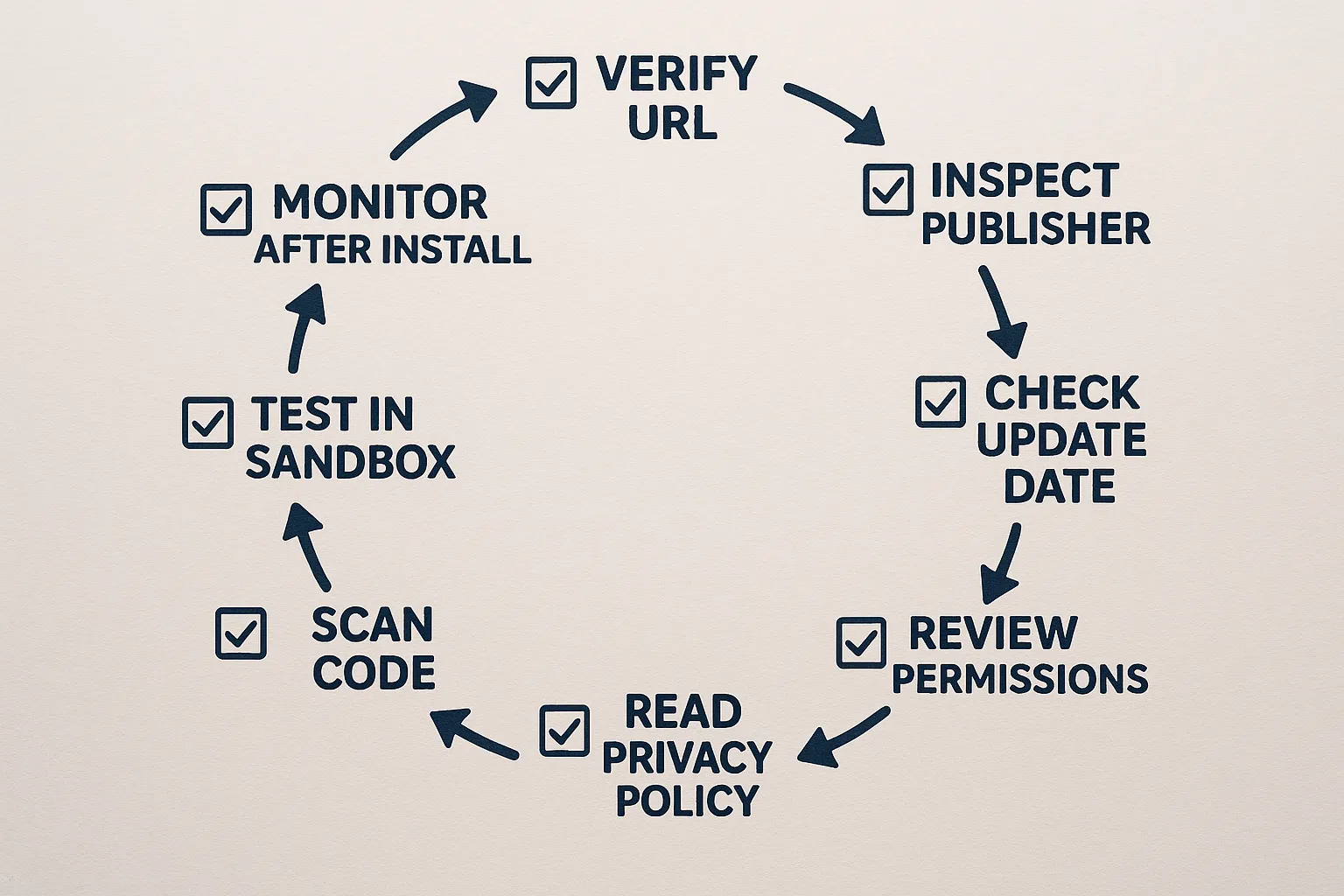
In this guide you will learn a practical, nine-point checklist to install any Chrome extension safely. Use it as a quick reference whenever you venture into the Chrome Web Store, and share it with colleagues who rely on browser tools for research, marketing, data analysis, or just day-to-day productivity.
Why You Need a Safety Checklist
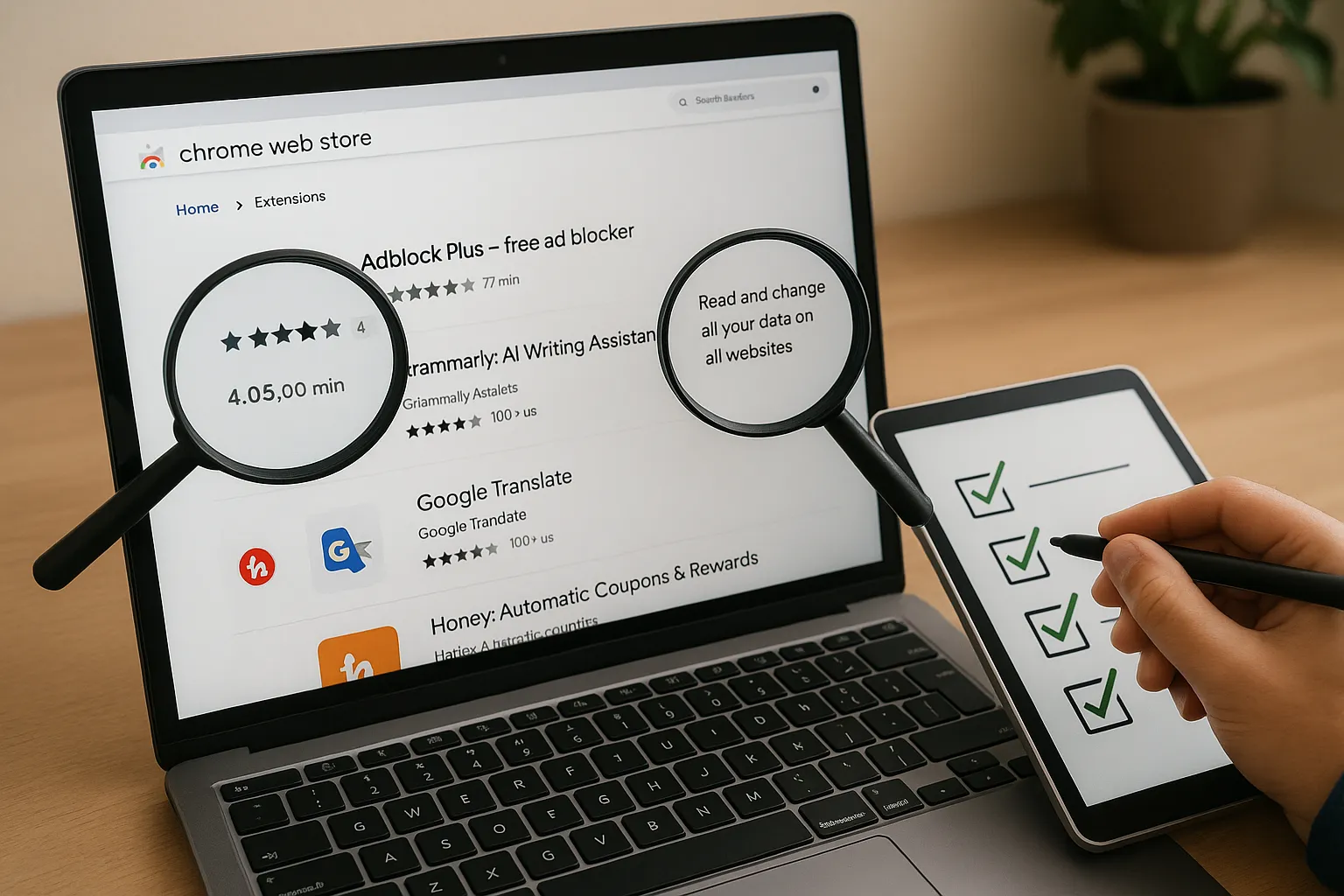
Google does remove malicious extensions, yet nearly 30 million users were affected by Chrome extension malware between 2020 and 2024 according to statistics compiled by CRXcavator and the University of Wisconsin–Madison. Attackers often disguise their code in helpful-looking add-ons that harvest browsing data, inject ads, or hijack cryptocurrency wallets. A structured verification process narrows that risk to almost zero.
1. Confirm You're on the Official Chrome Web Store
It sounds obvious, but typo-squatting domains and fake download pages still trick thousands of users. Always check that the URL starts with https://chrome.google.com/webstore/ before you do anything else.
2. Inspect the Publisher Name and Website
A trustworthy extension lists a publisher you can identify. Click the developer's name to see their other extensions and website.
- Do they have a professional homepage?
- Is contact information easy to find?
- Are they active on GitHub or another reputable platform?
For instance, the Reddit Comment Scraper publisher profile links directly to our product site (https://redditcommentscraper.com) and shows no unrelated or suspicious projects.
3. Read the Recent Reviews—Critically
Star ratings alone tell half the story. Sort reviews by "Newest" and scan the last 10–15 comments.
- Look for detailed feedback about functionality and support rather than generic praise.
- Notice any sudden spike of single-line five-star reviews; that can be a sign of review spam.
- Pay attention to mentions of abrupt permission changes after an update.
If reviewers consistently praise an extension over many months—as is the case with Reddit Comment Scraper—you can feel more confident.
4. Check the Last Update Date
An extension that hasn't been updated in years is a red flag. Google's Manifest V3 migration and frequent Chrome releases require developers to keep code current.
| Indicator | Good Sign | Warning Sign |
|---|---|---|
| Time since last update | < 6 months | > 1 year |
| Manifest version | V3 | V2 or undefined |
| Changelog notes | Clear list of fixes and features | Empty or vague |
5. Review Requested Permissions Carefully
Chrome warns you during installation about each permission an extension wants. Here is how to interpret the most common ones:
| Permission | Typical Need | Evaluate Like This |
|---|---|---|
| `Read and change data on sites you visit` | Required for page scraping tools (e.g., Reddit Comment Scraper) | Accept only if core functionality relies on it |
| `Read your browsing history` | Used for productivity tools that operate across tabs | Decline if the extension's value doesn't require history |
| `Manage your downloads` | Needed for bulk downloaders | Ok if downloads are part of core feature set |
| `Clipboard` | For copy utilities | Be cautious; could exfiltrate data |
Tip: If anything seems excessive, email the developer for clarification—or skip the install.
6. Dig Into the Privacy Policy
Legitimate teams provide a clear privacy policy linked directly on the Chrome Web Store listing.
- Make sure it states what data is collected and how it is stored.
- Look for GDPR or CCPA compliance statements.
- Confirm the extension does not sell data to third parties.
Reddit Comment Scraper's policy specifies that scraped comment data never leaves your local machine unless you choose to export it.
7. Scan the Extension Code (Optional but Powerful)
If you have technical skills, download the .crx file and unzip it, or clone the GitHub repo if the project is open source. Search for:
- Obfuscated JavaScript or large blocks of unreadable code.
- External URLs you don't recognize.
- Minified files that reference cryptocurrency wallets or remote scripts.
Tools such as CRXcavator and Extension Monitor automate many of these checks.
8. Test in a Sandbox Profile First
Chrome lets you create multiple user profiles. Install new extensions in a fresh profile with no saved passwords or cookies. If the tool behaves as advertised, migrate it to your primary profile.
9. Keep an Eye on Post-Install Behavior
Even reputable extensions can get compromised if a developer account is hijacked. After installation:
- Watch for unusual CPU spikes in Chrome's Task Manager.
- Review permissions after each update.
- Set alerts in your password manager for credential autofill on unknown domains.
If anything looks off, disable the extension immediately and contact the publisher.
Putting the Checklist to Work: A Real-World Example
Let's walk through these steps with Reddit Comment Scraper:
- URL: Listing lives on the official Chrome Web Store.
- Publisher: "Reddit Comment Scraper" links to our verified domain.
- Reviews: 4.8 average rating from researchers, marketers, and academics.
- Updates: Last update October 2025, includes Manifest V3 migration and performance boosts.
- Permissions: Needs access to
reddit.comtabs only, plus downloads for CSV/JSON export. - Privacy Policy: States no data leaves your browser without consent.
- Code Scan: Public GitHub mirror available for review.
- Sandbox Test: Extension activates only on Reddit pages; no background activity elsewhere.
- Ongoing Monitoring: You keep full control—disable or remove at any time via Chrome settings.
Following the checklist not only safeguards your machine but also gives you peace of mind when adopting productivity tools that supercharge your workflow.
Frequently Asked Questions
How do I uninstall a Chrome extension if I think it's unsafe? Click the puzzle-piece icon, choose "Manage extensions," then select "Remove." You can also toggle the blue switch to disable it temporarily.
Can I trust extensions with low download counts? A small user base isn't automatically bad, especially for niche research tools. Apply the full checklist and pay extra attention to code transparency and developer responsiveness.
What should I do if an extension suddenly asks for new permissions? Read the changelog. If the new permissions don't align with added features, decline the update and contact the developer.
Ready to Scrape Reddit Comments the Safe Way?
You now have a battle-tested checklist for any Chrome extension. When you're ready to gather, analyze, and export Reddit discussions in seconds, install the Reddit Comment Scraper with confidence—our team designed it to pass every safety test you just learned.
Explore the extension on the Chrome Web Store or learn more about its features on our homepage:
Turn Reddit threads into actionable insights—without compromising security.
See also on Adlicio: the same extension inside Adlicio.