Review Monitoring Tools: How to Track Reviews Across Platforms
Why Monitor Reviews?
A one-time review export gives you a snapshot. Monitoring gives you a trend line — and trend lines are where actionable intelligence lives. The difference between "we have 4.2 stars" and "we dropped from 4.4 to 4.2 over the last three months because of shipping complaints" is the difference between data and insight.
There are five reasons to monitor reviews on an ongoing basis:
- Brand reputation management: A sudden spike in negative reviews can signal a product defect, a supply chain issue, or a customer service breakdown. Without monitoring, you find out when a journalist or social media post surfaces the problem. With monitoring, you catch it in the first week.
- Competitive intelligence: Tracking competitor reviews over time reveals their weaknesses — recurring complaints, feature gaps, quality issues — before they fix them. It also shows what they are doing well, so you can benchmark your own performance. See our competitor analysis framework for a deeper dive.
- Product feedback loop: Reviews are the most honest form of product feedback. Customers do not sugarcoat what they write on Amazon or Google Reviews. Monitoring review themes over time tells your product team which issues are persistent vs. one-off, and whether fixes actually moved the needle.
- Crisis detection: A single viral negative review can snowball. Review monitoring catches volume spikes and sentiment shifts early — before they hit social media. The faster you respond, the less damage spreads.
- Trend tracking: Customer expectations change. Features that were "nice to have" last year become table stakes this year. Monitoring review language over quarters reveals shifting expectations so your roadmap stays aligned with what customers actually want.
What to Look for in a Review Monitoring Tool
Not every review monitoring tool does the same thing. Some track Google reviews exclusively. Others cover dozens of platforms but charge enterprise prices. Before choosing, evaluate these five criteria:
- Platform coverage: Which review sites does the tool track? At minimum, you need coverage for the platforms where your customers leave reviews — Amazon, Google, Yelp, G2, industry-specific sites. If you also want to track Reddit threads, YouTube comments, or forum discussions, the list narrows quickly.
- Alert frequency and delivery: How fast does the tool notify you of new reviews? Some tools offer real-time alerts; others batch daily or weekly. For crisis detection, you want same-day notifications. For trend tracking, weekly digests may be enough. Check whether alerts come via email, Slack, SMS, or an in-app dashboard.
- Sentiment analysis: Does the tool automatically classify reviews as positive, negative, or neutral? Some tools go further — extracting specific themes (shipping, quality, customer service) and tracking each theme's sentiment independently. This saves hours of manual categorization.
- Reporting and export: Can you pull the data out? Dashboards are useful for quick checks, but for deep analysis — voice of customer programs, quarterly business reviews, competitive reports — you need exportable data. Look for CSV or Excel export, API access, or integrations with tools like Google Sheets and Looker.
- Price: Dedicated review monitoring platforms typically charge $49-$500+/month depending on the number of locations, platforms, and features. Social listening tools range from $49/month (Mention) to $1,000+/month (Brandwatch). Free tools exist but are limited. Your budget determines which tier makes sense.
Review Monitoring Tools by Category
The market breaks into four categories. Each serves a different use case and budget.
Dedicated Review Monitoring Platforms
These are purpose-built for tracking and managing online reviews. They aggregate reviews from multiple platforms into a single dashboard and provide alerts, analytics, and response management.
- ReviewTrackers (~$49/mo+): Tracks reviews across 100+ sites including Google, Facebook, Yelp, and industry-specific platforms. Provides sentiment analysis, competitor benchmarking, and review response tools. Strong for multi-location businesses.
- Birdeye (~$299/mo+): All-in-one reputation platform covering review monitoring, review generation (sends customers review requests), and customer messaging. Includes AI-powered sentiment analysis and competitive benchmarking. Higher price point, but combines multiple functions.
- Reputation.com (enterprise pricing): Enterprise-grade platform used by large brands and franchises. Covers review monitoring, survey management, social media monitoring, and business listings. Pricing is custom — typically $500+/month. Overkill for small teams, but comprehensive for organizations managing hundreds of locations.
These platforms are the most hands-off option. Set them up, configure your alerts, and they run in the background. The tradeoff is cost — and the fact that you are locked into their analytics rather than working with raw data.
Social Listening Tools
Social listening tools cast a wider net. They track not just structured reviews, but also social media mentions, forum posts, news articles, and blog comments. Review monitoring is one feature among many.
- Brandwatch (custom pricing, typically $800+/mo): Enterprise social listening platform. Tracks mentions across social media, review sites, forums, news, and blogs. Powerful analytics and sentiment AI, but expensive and complex to configure.
- Mention (~$49/mo+): More accessible social listening tool. Monitors mentions across the web including review sites, social media, forums, and news. Good for small-to-mid-size brands that want broader coverage without enterprise pricing.
- Sprout Social (~$249/mo+): Primarily a social media management tool, but includes listening and review monitoring features. Good if you already use Sprout for social media and want to consolidate tools.
Social listening tools are worth considering if your monitoring needs extend beyond structured reviews into Reddit discussions, Twitter mentions, and community forums. If you only need review tracking, a dedicated platform is more focused and often cheaper.
Google-Specific Tools
If most of your reviews come through Google, you may not need a full platform.
- Google Business Profile dashboard (free): If you manage a Google Business Profile, the built-in dashboard shows new reviews, average rating, and lets you respond directly. No cross-platform tracking, no sentiment analysis, no competitor monitoring — but it is free and covers the single most important review source for local businesses.
- Google Alerts (free): Set up alerts for your brand name and product names. Google will email you when new web pages mention those terms — including some review sites. Coverage is inconsistent and it misses most Amazon reviews, but it catches blog posts, news articles, and some forum mentions at zero cost.
DIY Review Monitoring with Comment Exporter
Here is the honest positioning: Comment Exporter is not a review monitoring platform. It does not send alerts, it does not run sentiment analysis automatically, and it does not have a monitoring dashboard. It is an export tool — you visit a page, click export, and get structured data in CSV or JSON.
But an export tool can be the foundation of a review monitoring workflow if you combine it with a spreadsheet and a recurring schedule. The result is a DIY review monitoring system that costs $49/month instead of $49-$500+/month, gives you full control over the raw data, and covers platforms that dedicated monitoring tools often miss — like Amazon, Reddit, YouTube, and Steam.
The tradeoff is effort. You are doing manually what a dedicated platform automates. For teams monitoring hundreds of locations or needing real-time alerts, a dedicated platform is the right choice. For teams monitoring a handful of products or competitors on a weekly or monthly cadence, the DIY approach works and saves significant budget.
How to Build a DIY Review Monitoring System
This is a step-by-step guide for setting up ongoing review monitoring using Comment Exporter and a spreadsheet. Total setup time is about 30 minutes. Ongoing maintenance is 15-30 minutes per monitoring cycle.
Step 1: Define What You Are Monitoring
Before exporting anything, decide on scope:
- Your own products: Which product pages, listings, or profiles do you want to track? List the URLs.
- Competitors: Which competitor products or brands? Pick 3-5 direct competitors. More than that becomes unwieldy for manual monitoring.
- Platforms: Where do your customers leave reviews? Amazon, Google, Reddit, YouTube, Steam, Etsy — Comment Exporter covers 12 platforms. Pick the ones that matter for your category.
Write this down. A simple list of 10-20 URLs that you will export on each monitoring cycle.
Step 2: Set a Schedule
Pick a cadence and stick to it:
- Weekly: Good for fast-moving categories, product launches, or active competitor battles. Takes 15-20 minutes per cycle.
- Biweekly: A reasonable middle ground for most brands. Catches trends without consuming too much time.
- Monthly: Sufficient for stable categories or when monitoring is supplementary to a dedicated tool. Takes 20-30 minutes per cycle.
Put it on your calendar. The value of monitoring comes from consistency — sporadic exports do not reveal trends.
Step 3: Export Reviews with Comment Exporter
On each monitoring cycle, work through your URL list:
- Open each product page or review page in Chrome.
- Click the Comment Exporter extension icon.
- Export to CSV.
- Name each file with a consistent convention — e.g.,
amazon-competitor-a-2026-02-21.csv.
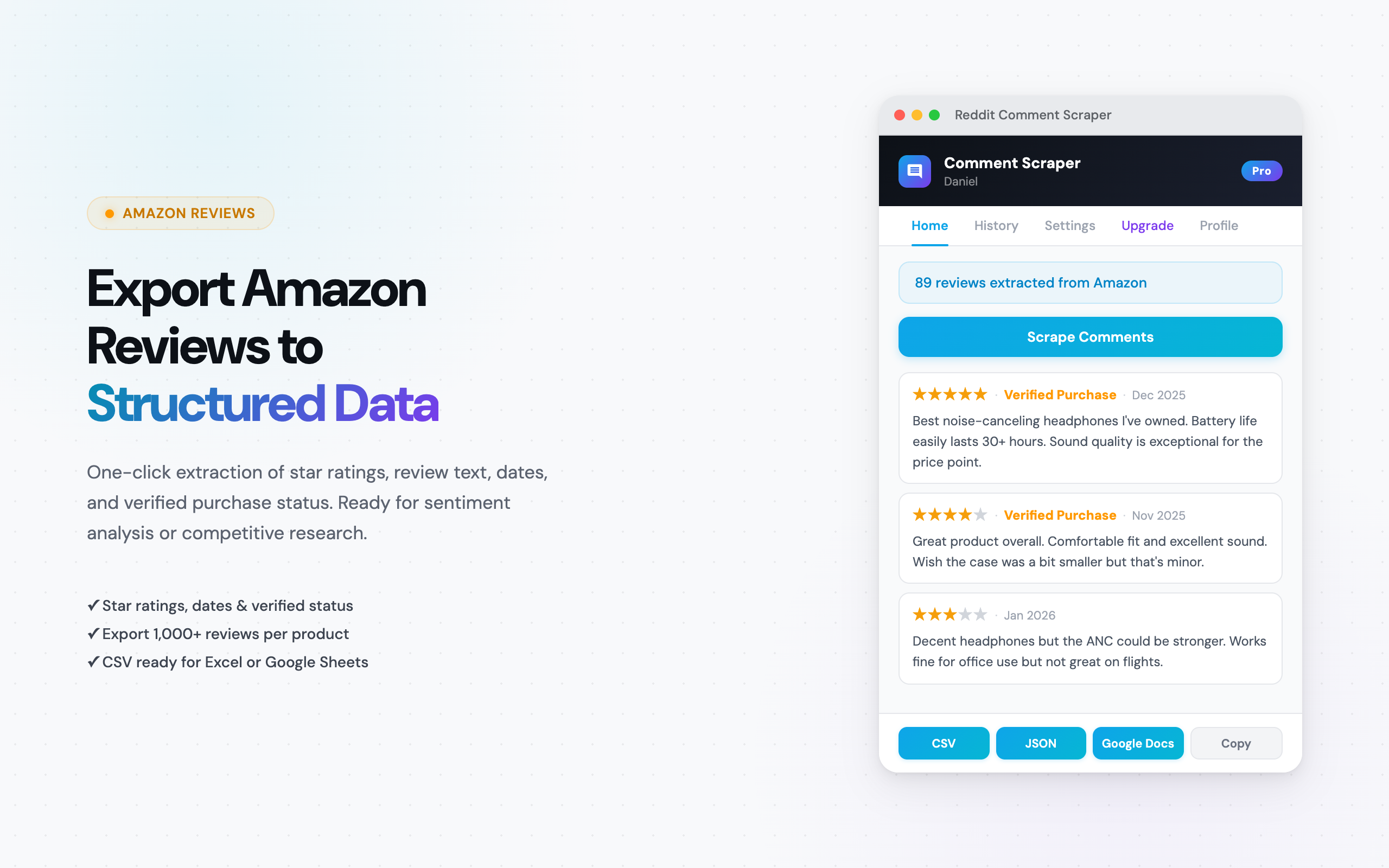
Each export captures the full review text, star rating (where applicable), author, date, and metadata like helpful votes or verified purchase status. This is your raw data layer.
Step 4: Append to a Master Spreadsheet
Create a Google Sheet (or Excel file) with these columns:
- Date Exported — the date you ran the export
- Platform — Amazon, Reddit, etc.
- Product / Brand — which product or competitor this review belongs to
- Review Date — when the review was originally posted
- Rating — star rating (1-5) where applicable
- Review Text — full text of the review
- Author — reviewer name or username
- Sentiment — positive / negative / neutral (you can classify manually, or batch-classify using ChatGPT)
- Key Themes — shipping, quality, price, customer service, etc.
After each export cycle, paste new reviews into this master sheet. Over time, this becomes your review database — a single source of truth for all review data across platforms and competitors.
Step 5: Track Metrics Over Time
With data accumulating in your master sheet, build a simple dashboard tab that tracks:
- Average rating per period: Plot weekly or monthly averages for your products and each competitor. A line chart makes trends immediately visible.
- Review volume: How many new reviews appeared this period vs. last? A volume spike — especially negative — is an early warning signal.
- Sentiment distribution: What percentage of reviews were positive, negative, and neutral this period? Track the ratio over time.
- Keyword frequency: Count mentions of key terms — "shipping," "broke," "love," "returned," "excellent." Use COUNTIF formulas in your spreadsheet. A sudden spike in "broke" or "defective" is worth investigating immediately.
- Competitor comparison: Side-by-side columns for your metrics vs. each competitor's. This is the competitive intelligence layer.
Step 6: Set Up Alerts with Conditional Formatting
Spreadsheets cannot send push notifications, but conditional formatting provides visual alerts:
- Red highlight: Any period where your average rating drops by more than 0.2 points.
- Yellow highlight: Any period where negative review volume exceeds your baseline by 50%+.
- Green highlight: Periods where your rating exceeds your highest competitor.
When you open your monitoring spreadsheet on schedule, these color signals tell you instantly whether something needs attention — no scrolling through raw data required.
Review Monitoring Checklist
Whether you use a dedicated platform or the DIY approach, here is what to track on every monitoring cycle:
- Rating trends: Is your average rating stable, improving, or declining? Over what time horizon? Compare to the same period last month and last quarter.
- Review volume: Are you getting more or fewer reviews than usual? A sudden drop in volume can be as concerning as a drop in rating — it may mean customers are disengaging.
- Keyword frequency: What words and phrases appear most often in this period's reviews? Look for new themes that were not present last period. Pay special attention to complaint-related keywords.
- Competitor comparison: How do your metrics compare to your top 3 competitors this period? Where are you ahead, and where are you falling behind?
- Response rate: On platforms where you can respond to reviews (Google, Amazon), what percentage of reviews did you respond to? What was the average response time? Customers notice when brands engage — and when they do not.
- Actionable items: Based on this cycle's data, what needs to happen? Flag specific issues for product, customer service, or marketing to address. Monitoring without action is just data collection.
When to Use a Dedicated Platform vs. DIY
The right choice depends on three factors: budget, scale, and urgency.
- Choose a dedicated platform if: You manage 10+ locations, need real-time alerts, require automated sentiment analysis at scale, or need response management built in. The $49-$500/month cost is justified by time saved and faster response times.
- Choose the DIY approach if: You are monitoring fewer than 10 products or competitors, weekly or monthly cadence is sufficient, you want full control over raw data for custom analysis, or your budget does not accommodate a dedicated platform. The $49/month for Comment Exporter plus a free spreadsheet covers the data collection layer — you supply the analysis.
- Use both if: You have a dedicated platform for your primary review sources (Google, Yelp) but need coverage for platforms the tool does not support — like Amazon product reviews, Reddit discussions, YouTube comment sentiment, or Steam reviews. Comment Exporter fills the gaps.
Frequently Asked Questions
What is a review monitoring tool?
A review monitoring tool tracks new reviews and ratings across platforms like Amazon, Google, and Yelp. Most tools provide alerts when new reviews appear, sentiment analysis dashboards, and reporting features. They range from free options like Google Alerts to full platforms like ReviewTrackers and Birdeye that cost $49/month and up.
How often should I check competitor reviews?
For most businesses, weekly monitoring is sufficient. If you are in a fast-moving category or running a product launch, daily checks may be warranted. The key is consistency — sporadic monitoring misses trends. Set a recurring schedule and stick to it, whether that means using an automated platform or manually exporting reviews on a fixed cadence.
Can I monitor reviews without paying for a dedicated platform?
Yes. You can build a DIY review monitoring system using an export tool like Comment Exporter ($49/month) combined with a spreadsheet. Export reviews on a weekly or monthly schedule, append them to a master tracking sheet, and use conditional formatting or pivot tables to surface trends. It requires more manual effort than a dedicated platform, but it costs a fraction of the price and gives you full control over the data.
What platforms should I monitor for reviews?
It depends on your industry. For e-commerce products, Amazon and Google Reviews are essential. For local businesses, Google Business Profile and Yelp matter most. For SaaS and tech, G2, Capterra, and Reddit are where buyers research. For consumer electronics, also check YouTube comment sections and Steam (for gaming). Start with the 2-3 platforms where your customers are most active and expand from there.
What metrics should I track in review monitoring?
Track five core metrics: average star rating over time, review volume per period, sentiment distribution (positive vs. negative vs. neutral), recurring keyword frequency (especially complaint-related terms), and response rate (how quickly and consistently you reply to reviews). For competitor monitoring, add a comparison column for each metric so you can benchmark your performance against theirs.
See also on Adlicio: Adlicio's free Reddit mention monitor.