YouTube Comment Analysis for Content Creators: Find What Your Audience Wants
Why YouTube Comments Are a Content Goldmine
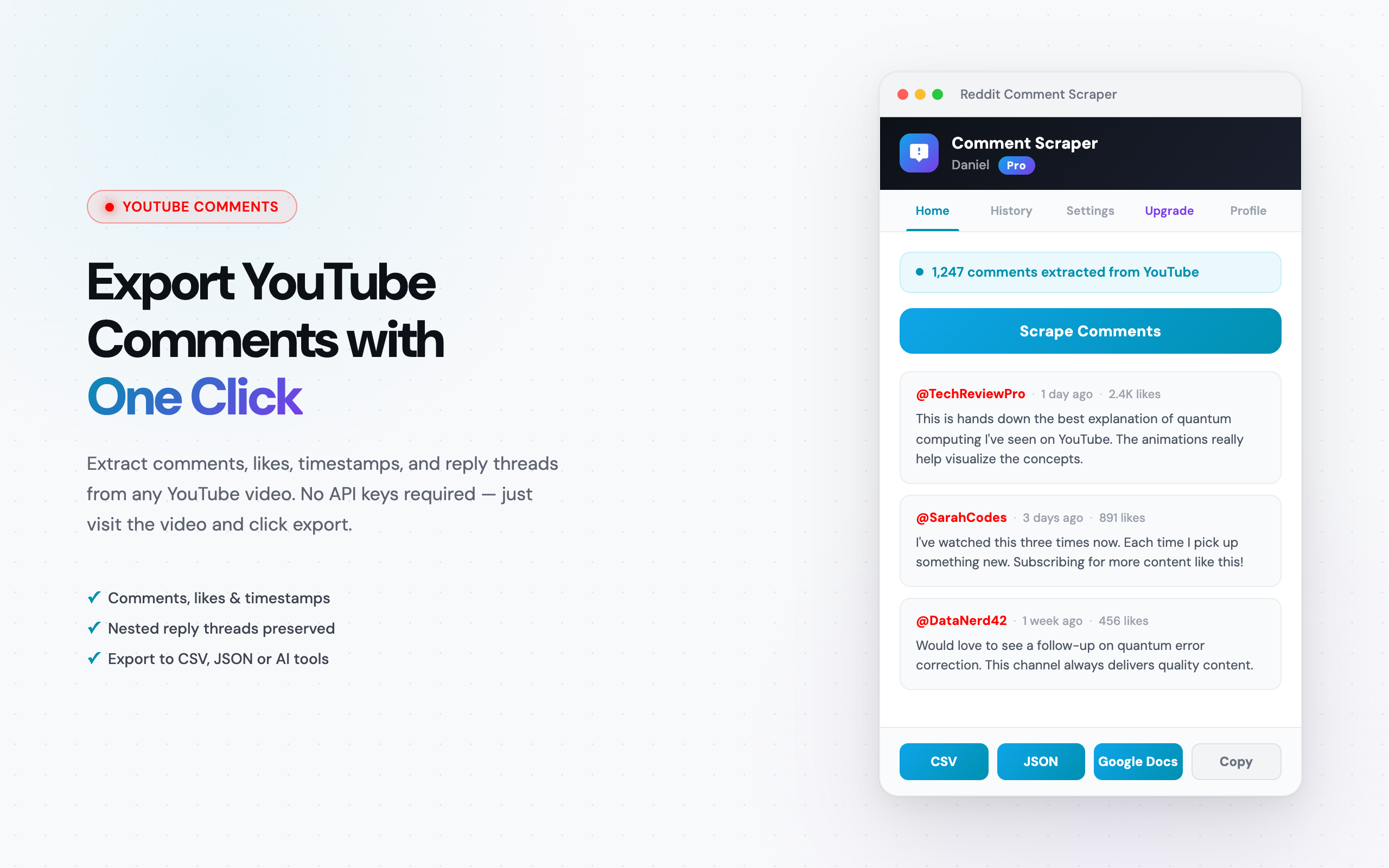
YouTube comments are a direct signal of what your audience wants more of — and what they are tired of. Every comment is unprompted feedback. No survey bias, no leading questions. Just raw audience sentiment attached to a specific piece of content. If you want the data in a spreadsheet, the YouTube comment scraper exports it to CSV.
Most creators scroll through comments manually — skim, pick up a few ideas, move on. That approach misses patterns. A single comment asking for a tutorial is noise. Forty-seven comments across six videos asking for the same thing is a content gap screaming to be filled.
Exporting and analyzing comments systematically reveals four things that manual reading cannot:
- Video topic ideas: Recurring questions and requests across your comment sections point directly to what your next video should cover.
- Audience pain points: Complaints, confusions, and frustrations tell you what your viewers struggle with — and what content would help them.
- Content format preferences: Comments like "wish this was a full walkthrough" or "a shorter version would be great" reveal how your audience wants to consume your content.
- Collaboration opportunities: When viewers mention other creators, products, or tools, those are signals for partnerships and crossover content.
This guide shows how to turn YouTube comments into a content strategy engine — with concrete techniques and sample prompts you can copy.
Why YouTube Comments Beat Other Research Methods
Analytics dashboards, keyword tools, trend trackers, social listening platforms — creators have no shortage of research options. But YouTube comments offer something none of those provide: direct audience feedback tied to specific content.
- Direct feedback, not algorithmic inference: YouTube Analytics tells you what performed well. Comments tell you why. A video with high retention but negative comments is a very different signal than one with high retention and enthusiastic comments.
- Question frequency reveals content gaps: When 30 viewers ask the same question, that is a gap in your content library. Keyword tools estimate search volume — but comments show demand from your existing audience, people already primed to watch your next video.
- Comment sentiment indicates quality better than views: A video can get 500,000 views from a clickbait title and leave viewers disappointed. The comment section tells the real story. Tracking sentiment across videos shows which content genuinely resonates.
- Competitor comment analysis reveals what their audience lacks: Your competitors' comment sections are full of unmet needs — unanswered questions, uncovered features, gaps you can fill. That is your opportunity.
How to Export YouTube Comments
Before you can analyze anything, you need structured data. Scrolling through comments on the page does not count — you need the data in a file where you can sort, filter, and feed it to analysis tools.
The Comment Exporter Chrome extension handles this in one click. Visit any YouTube video, click export, get a CSV or JSON file. No API keys, no coding, no configuration.
Each exported comment includes:
- Comment text: The full body of what the viewer wrote.
- Author name: The display name of the commenter.
- Like count: How many people agreed with or appreciated the comment.
- Date: When the comment was posted.
- Reply count: How many threaded replies the comment received.
YouTube is available under the Starter plan at $49/mo, which includes all 11 supported platforms. If you want to test the extension first, Reddit scraping is free — no payment required.
Technique 1: Topic Clustering
This is the highest-impact technique for youtube comment analysis. It answers one question: what are my viewers actually talking about?
Here is the workflow:
- Export comments from your top 10 videos — the ones with the most views, most comments, or highest engagement. These have the largest sample size of audience feedback.
- Combine the exported CSVs into a single file, or paste them into ChatGPT one video at a time.
- Run the clustering prompt below.
Sample ChatGPT Prompt
I have exported YouTube comments from my top 10 videos. The data includes comment text, author, like count, and date.

Analyze these comments and:

1. Group them by topic. Create 8-12 topic clusters based on recurring themes.
2. For each cluster, list:
   - Topic name
   - Number of comments in this cluster
   - Total likes across comments in this cluster
   - 3 representative example comments
3. Rank clusters by engagement (total likes), not just volume.
4. Identify any topics that appear across multiple videos vs. topics specific to one video.

Output as a structured table.
The output tells you which topics your audience cares about most — ranked by engagement, not just frequency. A topic cluster with fewer comments but high like counts often matters more than a high-volume cluster with low engagement.
Technique 2: Question Mining
This technique is the most direct path from youtube comment analysis to content ideas. Every question in your comment section is a potential video — and the viewer who asked it already told you they would watch it.
The method is straightforward:
- Export your comments to CSV.
- Open the CSV in Google Sheets.
- Filter for comments containing "?" — this surfaces every question viewers have asked.
- Categorize by topic. Group similar questions together.
Each question cluster is a potential video. If 15 viewers asked "how do I set up X?" across your videos, that is a tutorial waiting to be made. If 8 viewers asked "what camera do you use?" — that is a gear video your audience is requesting.
You can also paste the filtered questions into ChatGPT with this prompt:
Here are questions extracted from my YouTube comment sections. Each line is a viewer question.

1. Group these questions by topic.
2. For each group, write a potential video title that would answer the questions.
3. Estimate demand based on how many similar questions appear.
4. Flag any questions that indicate frustration or confusion — these are high-priority content gaps.
The result is a ranked list of video ideas sourced from your audience. No guessing, no keyword speculation.
Technique 3: Competitor Comment Analysis
Your competitors' comment sections are full of opportunities they are ignoring. This technique turns their blind spots into your advantage.
- Identify 3-5 competitor channels in your niche.
- Export comments from their most popular videos — aim for 3-5 videos per competitor.
- Run a gap analysis using ChatGPT.
Sample ChatGPT Prompt
I have exported YouTube comments from 5 competitor videos in my niche ([YOUR NICHE]).

Analyze these comments and identify:

1. UNMET NEEDS: What are viewers asking for that the creator did not cover? List specific requests.
2. COMPLAINTS: What are viewers frustrated about? What do they wish was different?
3. PRAISE: What do viewers love most? What should I also be doing?
4. COMPARISON MENTIONS: Do viewers mention other tools, products, or creators? List them.
5. CONTENT GAPS: Based on the questions and complaints, what videos could I create that this competitor has not?

For each finding, include 2-3 supporting comment excerpts.
Comment sections are honest. Viewers do not sugarcoat feedback the way they might in a survey. If a competitor's video missed something, the comments will say so — and that gap is your next video.
Technique 4: Sentiment Tracking Over Time
Individual videos give you a snapshot. Tracking sentiment across videos over time gives you a trend line — and trend lines are where the real strategy lives.
- Export comments from your videos over the last 6 months. Aim for at least 10-15 videos spread across the time period.
- Tag each export with the video title and publish date.
- Feed the data to ChatGPT and ask for a sentiment timeline.
What you are looking for:
- Sentiment shifts: Did audience reception improve or decline after you changed your format, intro style, or topic focus?
- Topic fatigue: Are comments on recent videos in a series less enthusiastic than early ones? Signal to rotate topics.
- Format feedback: Did switching from 20-minute deep dives to 8-minute summaries change the tone of comments? The data tells you.
Analytics dashboards show retention curves and click-through rates. Sentiment tracking shows you how your audience feels about what you are making — that is youtube audience research at its most granular.
Full Workflow Example: Tech Review Channel
Here is how a hypothetical tech review YouTuber — Sarah — would use these techniques.
Step 1: Export Comments
Sarah installs Comment Exporter and exports comments from:
- Her 5 most-viewed videos (own content analysis)
- 5 popular videos from competing tech reviewers (competitor analysis)
Total time: about 15 minutes. She has 10 CSV files with roughly 4,200 comments.
Step 2: Topic Clustering on Her Own Videos
Sarah uploads her 5 CSVs to ChatGPT and runs the topic clustering prompt. The results:
- Cluster 1 — "Budget alternatives" (342 comments, 1,890 total likes): Viewers consistently ask for budget versions of the products she reviews.
- Cluster 2 — "Real-world battery life" (287 comments, 1,450 likes): Viewers want longer, real-world battery tests — not just manufacturer specs.
- Cluster 3 — "Comparison requests" (198 comments, 980 likes): Comments like "how does this compare to [competitor product]?" appear across every video.
- Cluster 4 — "Setup tutorials" (156 comments, 720 likes): Viewers want walkthroughs of initial setup, settings optimization, and tips.
Sarah now has 4 content pillars backed by data — not hunches.
Step 3: Question Mining
Sarah filters her combined CSV for "?" — she finds 631 questions. After running them through ChatGPT's question grouping prompt, the top clusters are:
- "Which one should I buy if...?" variations — 89 questions
- "Does this work with [specific device/OS]?" — 67 questions
- "What settings do you use for...?" — 54 questions
- "Is it worth upgrading from [older model]?" — 41 questions
Each cluster maps directly to a video: a buyer's guide, a compatibility breakdown, a settings walkthrough, and an upgrade comparison.
Step 4: Competitor Gap Analysis
Sarah runs the competitor comment analysis prompt on the 5 competitor videos. Key findings:
- Gap: Competing reviewers rarely show long-term durability results. Comments like "I want to know how this holds up after 6 months" appear 23 times across 5 videos.
- Complaint: Viewers feel competitors' reviews are rushed — "you obviously just got this, how can you review it already?" appears 18 times.
- Opportunity: Nobody in the niche is doing "6-month follow-up" videos. Sarah can own that format.
Step 5: Content Calendar
Sarah's next 8 videos are mapped. No brainstorming sessions, no staring at a blank content calendar. Every video is backed by audience data. Total time: about 2 hours.
Tools You Need
The full youtube comment analysis workflow requires three tools:
- Comment Exporter (export): The Chrome extension handles data collection. Visit any video, click export, get structured data in CSV or JSON.
- Google Sheets (organize): Combine CSVs, filter for questions, prepare data for analysis. Free.
- ChatGPT (analyze): Upload CSVs or paste comment data and use the prompts from this guide. Free tier works; Plus gives file uploads and longer context.
Total cost: $49/mo for Comment Exporter Starter. Google Sheets and ChatGPT's free tier cost nothing, so the full content creator research workflow costs $49/mo.
Frequently Asked Questions
Can I export comments from any YouTube video?
Yes. Comment Exporter works on any public YouTube video that has comments enabled. You can export comments from your own videos, competitor videos, or any other public video. The only exceptions are videos where the creator has disabled comments entirely or videos that are set to private.
How many comments can I export at once?
Comment Exporter scrapes all visible comments on a video, including replies. For videos with thousands of comments, the extension scrolls through the comment section automatically. Videos with 10,000+ comments may take a few minutes, but there is no hard cap on the number of comments you can capture.
What about comment replies — are those included?
Yes. The extension captures both top-level comments and nested replies. Each reply includes the same metadata as top-level comments: author name, text, like count, and timestamp. In the exported CSV, replies are linked to their parent comment so you can reconstruct threaded conversations.
Can I export comments in other languages?
Yes. The extension exports comments exactly as they appear on the page, regardless of language. If a video has comments in Spanish, Japanese, Arabic, or any other language, those comments are captured with full Unicode support. You can then use ChatGPT or Google Translate to analyze non-English comments.
Do I need YouTube API access to export comments?
No. Comment Exporter works directly in your browser without any API keys, developer accounts, or Google Cloud setup. The extension scrapes comments from the page itself. No quota limits, no authentication tokens, no coding required.
See also on Adlicio: Adlicio's YouTube comment scraper for ad research.