
Data scraping is a powerful way to collect information from websites and digital sources, but it’s not without challenges. Issues like IP bans, rate limits, CAPTCHA blocks, and inconsistent data formats can disrupt your efforts. This guide simplifies the process by addressing common errors and offering practical solutions, such as retry strategies, proxy rotation, and data validation techniques. Tools like Comment Exporter also streamline scraping by mimicking human behavior and ensuring privacy.
Key takeaways:
- Common errors: HTTP errors (e.g., 403, 429), IP blocks, and incomplete data.
- Solutions: Use exponential backoff, residential proxies, and fallback selectors for dynamic sites.
- Validation: Ensure data quality with schema checks and outlier detection.
- Tool spotlight: Comment Exporter for easy, browser-based scraping across multiple platforms.
The Biggest Issues I've Faced Web Scraping (and how to fix them)
Common Data Scraping Errors and How to Prevent Them
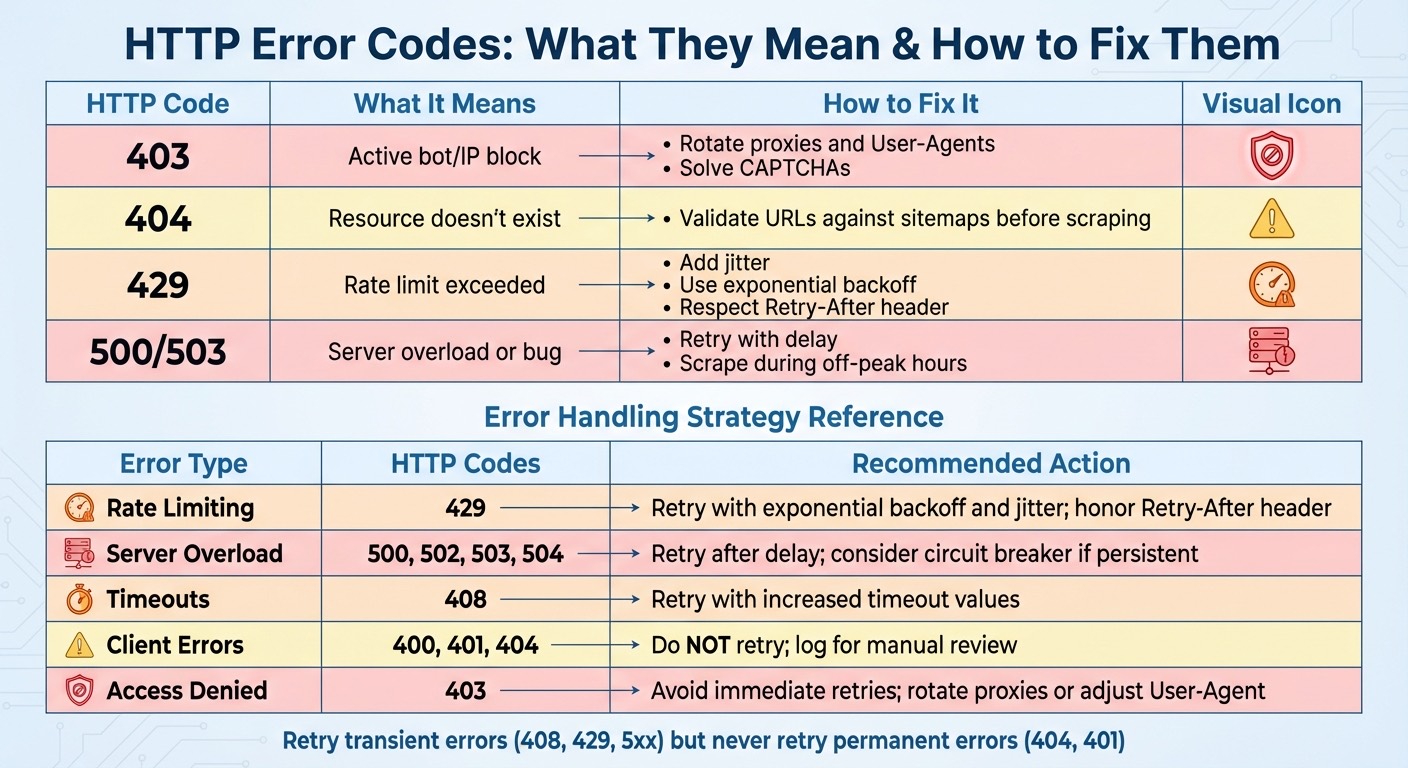
HTTP Error Codes Guide for Web Scraping: Common Issues and Solutions
Data scraping often runs into predictable snags: servers blocking suspicious requests, inconsistent HTML structures, or exceeding rate limits. Knowing these common pitfalls - and how to tackle them - can make the difference between a scraper that crashes constantly and one that operates smoothly for months. Good error handling is the backbone of reliable data scraping.
Handling HTTP Errors and Failed Requests
HTTP status codes are like signposts, explaining why a request didn’t work. For instance, a 403 Forbidden error means the server flagged your scraper as a bot, while 429 Too Many Requests suggests you’ve hit the rate limit for that server. A 404 Not Found error usually means the URL is incorrect or the resource no longer exists. Meanwhile, errors like 500 Internal Server Error or 503 Service Unavailable point to server overloads or maintenance issues.
The fix depends on the error type. For 429 or 5xx errors, use exponential backoff - start with a 5-second delay and double it with each failure - and always respect the Retry-After header. To address 403 errors, rotate your User-Agent strings and switch to residential proxies instead of datacenter IPs. Also, set realistic timeouts (e.g., 30 seconds for connection and 60 seconds for response) to handle slow-loading sites.
| HTTP Code | What It Means | How to Fix It |
|---|---|---|
| 403 | Active bot/IP block | Rotate proxies and User-Agents, solve CAPTCHAs |
| 404 | Resource doesn't exist | Validate URLs against sitemaps before scraping |
| 429 | Rate limit exceeded | Add jitter, use exponential backoff, respect Retry-After |
| 500/503 | Server overload or bug | Retry with delay, scrape during off-peak hours |
Avoiding IP Blocking and Captchas
With bots now accounting for over half of all web traffic, websites have developed sophisticated anti-bot systems that can analyze your requests in milliseconds. These systems don’t just check your IP - they also evaluate browser fingerprints, mouse movements, and even TLS handshake patterns. Datacenter proxies are blocked 3–4 times more often than residential proxies on major sites.
Residential and mobile proxies are your best bet. These proxies are tied to real users through ISPs, making them harder to detect. When dealing with multi-page flows or login-required sites, use sticky sessions to maintain the same IP for 3–30 minutes. Add random delays of 2–10 seconds (with jitter) to mimic human behavior. As Data Prixa puts it:
Most scraping failures aren't technical problems. They're behavioral tells.
Follow best practices by respecting robots.txt files and the site's Terms of Service. If an official API is available, use that instead of scraping, or consider using no-code scraping tools to simplify the process. Customize your User-Agent string to include your contact information so site owners can reach out if there’s an issue. Also, program your scraper to avoid honeypots - hidden HTML elements designed to trap bots.
Taking these steps doesn’t just help you avoid blocks; it also ensures your scraper collects consistent, reliable data.
Managing Unstructured or Inconsistent Data
Websites frequently update their HTML, and JavaScript-heavy sites often make things worse by returning incomplete data to basic comment exporters and scrapers. This leads to wasted time - data teams reportedly spend nearly 70% of their efforts cleaning unreliable data instead of analyzing it.
To address this, build flexibility into your scraper from the start. Use fallback selectors for key fields like prices or availability. If your primary CSS selector fails, your scraper should automatically switch to an alternative before giving up. For JavaScript-heavy sites, tools like Playwright or Puppeteer can render full pages before extracting data. CSS selectors are generally easier to maintain than XPath when site structures change.
During extraction, clean up your data by removing whitespace, normalizing text, and converting data types as needed. Always include metadata - like source URLs, timestamps, and scraper version numbers - with your datasets. This helps maintain data lineage and simplifies troubleshooting. To avoid undetected issues, set up HTML fingerprinting to monitor structural changes on websites. This prevents "silent failures", where the scraper runs but captures empty or incorrect data fields.
These strategies not only reduce errors but also make your scraper more robust and reliable in the long run.
Error Handling Strategies for Data Scraping
Once you’re familiar with common errors in data scraping, the next step is creating systems that can handle those failures effectively. As Shakyaprabeg aptly says:
Failures are not edge cases - they are normal operating conditions.
Reliable scrapers aren’t just built to work when everything runs smoothly - they need to manage disruptions without falling apart. By addressing common scraping errors and implementing recovery mechanisms, you can ensure your system remains functional even when issues arise.
Implementing Retry and Backoff Strategies
When dealing with errors, it’s important to distinguish between transient and permanent ones. For example, retrying transient errors like HTTP 408, 429, or 5xx codes can be helpful, but retrying permanent errors such as 404 or 401 is a waste of resources.
One effective approach is exponential backoff. This method spaces out retries progressively (e.g., 1 second, 2 seconds, 4 seconds, etc.), giving servers time to recover. Adding jitter - a random delay - prevents multiple scrapers from retrying at the same time, avoiding the "Thundering Herd" effect. Always respect the Retry-After header if a server provides one, and set a retry limit (typically three to five attempts) to avoid endless loops.
Using libraries like tenacity or urllib3.util.retry in Python, or axios-retry in JavaScript, can simplify implementing these strategies. These tools handle backoff and jitter logic, reducing the risk of errors from custom coding.
| Error Type | HTTP Codes | Recommended Action |
|---|---|---|
| Rate Limiting | 429 | Retry with exponential backoff and jitter; honor the Retry-After header. |
| Server Overload | 500, 502, 503, 504 | Retry after a delay; consider using a circuit breaker if the problem persists. |
| Timeouts | 408 | Retry with increased timeout values. |
| Client Errors | 400, 401, 404 | Do NOT retry; log these for manual review of URLs or credentials, such as when you export Reddit comments using the API or web tools. |
| Access Denied | 403 | Avoid immediate retries; rotate proxies or adjust User-Agent headers. |
Using Circuit Breakers to Prevent System Overload
Retries are great for temporary issues, but they can strain your system during persistent failures. That’s where circuit breakers come in. These mechanisms act as a buffer, halting requests when failure thresholds are exceeded. Circuit breakers typically operate in three states:
- Closed: Everything is working as expected.
- Open: After a set number of failures (e.g., five consecutive errors), new requests are blocked immediately.
- Half-Open: After a cooling-off period (e.g., 30–60 seconds), a test request determines if normal operations can resume.
By stopping repeated requests during ongoing issues, circuit breakers conserve resources and give servers time to recover. Tools like the Python library pybreaker can help simplify implementation. It’s crucial to define failure criteria carefully - for example, triggering the breaker for errors like 503 or 403, which may indicate temporary issues, but not for 404 errors, which signify a permanent problem. Pairing circuit breakers with proxy rotation can make your system even more resilient.
Logging and Monitoring for Error Tracking
Once you’ve implemented retries and circuit breakers, continuous monitoring becomes essential to catch subtle issues. Silent failures - where a scraper runs without obvious errors but collects incomplete or incorrect data - can go unnoticed for days, only surfacing through discrepancies in downstream reports.
To detect these problems early, use structured logging (e.g., JSON format) that captures key details like job name, run ID, phase (fetching, parsing, or storing), HTTP status, error type, and item counts. Don’t just monitor HTTP responses - validate the actual response content, as some bot-detection systems return a 200 status code with misleading results.
Set up anomaly detection based on rolling periods (e.g., 7 or 30 days) to flag unusual changes in data quality, such as record counts or null rates. Implement tiered alerting, where critical failures trigger immediate notifications, while less urgent quality issues are addressed during business hours. As Karan Sharma from PromptCloud puts it:
The difference between fragile and reliable systems is not more code. It is disciplined web scraping monitoring combined with structured web scraping observability.
sbb-itb-eded204
Data Quality and Validation Methods
Ensuring high data quality is just as critical as implementing robust error handling. Without reliable data, the insights you extract are likely to be flawed. As ApexVerify emphasizes:
"The principle of garbage in, garbage out has never been more relevant. In 2026, with automation driving more business processes, you cannot afford to build on unreliable foundations."
The risks are real. A retail analytics team once lost $340,000 in revenue because they relied on outdated promotional prices instead of current listings. Validation methods play a key role in turning raw data into actionable insights while avoiding costly errors. When paired with error-handling strategies, these methods create a dependable, efficient data scraping workflow.
Schema Validation for Structured Data
Schema validation acts like a blueprint for your data, ensuring every record meets specific requirements. It checks for essential fields, data types, and formats, catching issues like prices that include dollar signs when raw numbers are needed or strings like "False" instead of a boolean value.
Tools like Pydantic simplify this process by automatically converting data into the right formats. For instance, they can transform string-based dates into Python datetime objects or standardize state names to lowercase. Regular Expressions (Regex) add another layer of precision, validating patterns for emails, URLs, and phone numbers - ensuring, for example, that email fields contain an "@" symbol and a valid domain.
Validation can happen in real time during data extraction or after the fact to clean datasets before storage. For more complex data, such as nested product categories or tags, schema tools ensure consistency by handling multi-level structures and array constraints. Once the data matches the schema, further checks for unusual values can enhance its reliability.
Outlier Detection and Error Correction
While schema validation ensures data is formatted correctly, it doesn’t confirm that the values themselves are reasonable. This is where outlier detection steps in. Libraries like Pandas can calculate averages and standard deviations for numeric fields, helping you spot anomalies. For instance, a product priced at $210 when the average is $2.60 clearly signals an issue.
Cross-field validation adds another layer of scrutiny, ensuring logical consistency between related data points. For example, a discounted price must always be lower than the original price, and shipping dates can’t precede order dates. Additionally, you need to guard against silent drift - when the data structure remains valid but its meaning changes. A good example is when a website shifts from a 5-point rating scale to a 10-point scale. Your scraper might still capture the numbers, but their interpretation will be incorrect.
As Karan Sharma from PromptCloud aptly points out:
"Accuracy in web scraping is not a property of the scraper. It is a property of the system around it."
Finally, it’s crucial to flag any records influenced by fallback logic or default values. Silent fallback insertion - where default values are used instead of throwing errors - accounts for approximately 18–25% of detected accuracy anomalies. By tagging these records, you can review or exclude them from critical analytics, ensuring that unreliable data doesn’t skew your results or lead to expensive mistakes.
Using Comment Exporter for Reliable Data Scraping
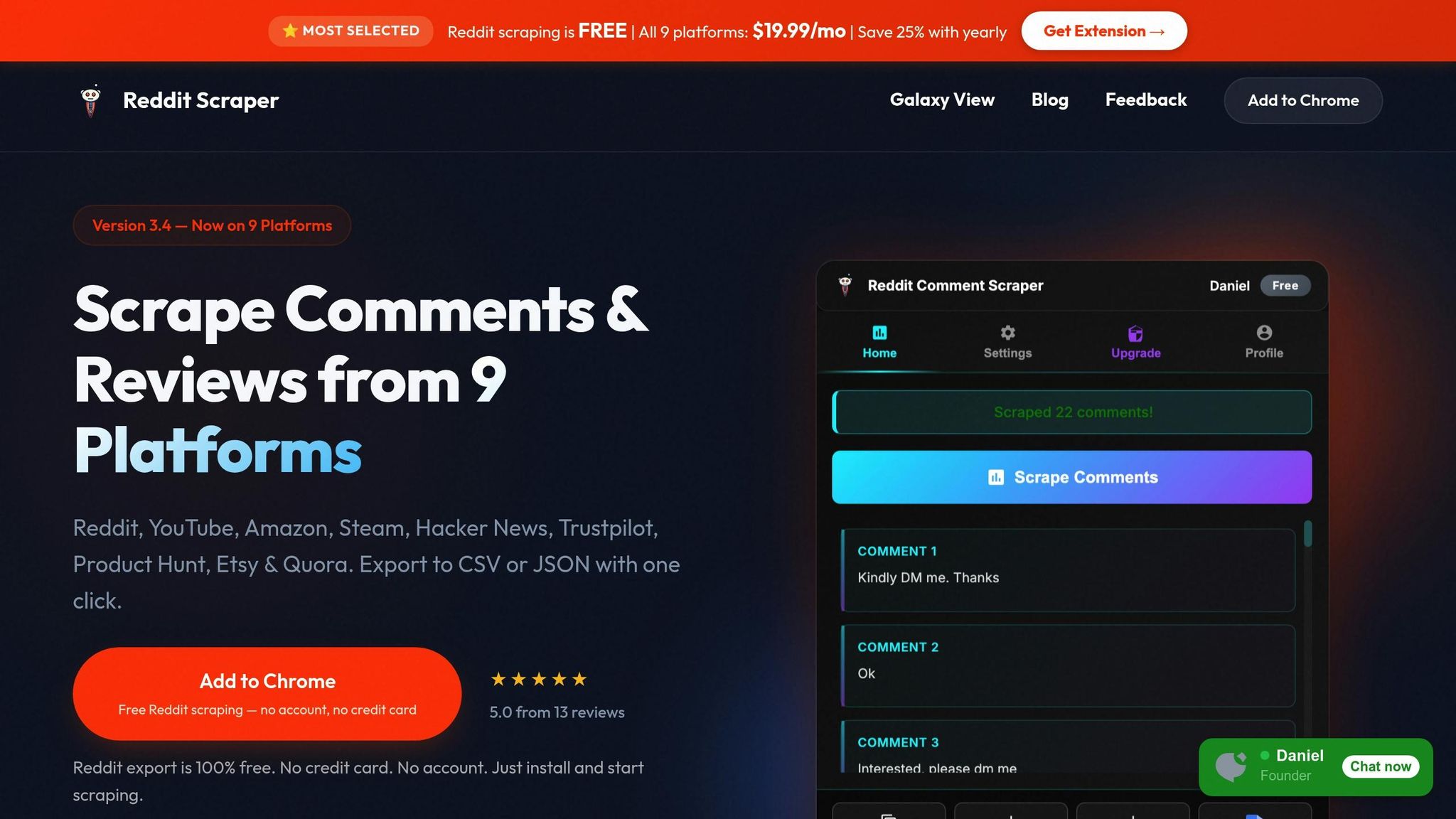
Comment Exporter simplifies error handling by working entirely within your Chrome browser. This eliminates the hassle of managing API keys, dealing with rate limits, or worrying about exposing your data to third-party servers. It builds on established error-handling techniques to deliver consistent, high-quality data.
Key Features of Comment Exporter
Comment Exporter supports nine platforms: Reddit, YouTube, Amazon, Trustpilot, Steam, Product Hunt, Quora, Etsy, and Hacker News. It automates tasks like scrolling, expanding replies, and detecting layouts, ensuring it captures nested replies efficiently. Whether you're working with older platform designs or newer ones, the tool adapts seamlessly.
Exports come with structured metadata, including details like the comment body, author, score, timestamp, subreddit, user flair, awards count, comment depth, and permalinks. You can download this data in CSV format for spreadsheets or JSON format for programming workflows. With over 2,500 weekly users as of early 2026, it's become a trusted tool for researchers, marketers, and analysts alike.
How Comment Exporter Reduces Scraping Errors
To minimize scraping issues, Comment Exporter mimics regular browsing behavior. This reduces the chance of IP bans and failed requests often caused by aggressive scraping techniques. You won’t have to worry about API rate limits (like Reddit’s 60 requests per minute for OAuth-authenticated requests), authentication errors, or expired API keys.
The tool also cleans up your data by automatically removing placeholders for deleted or removed comments. This ensures you get a clean dataset, with pre-mapped columns for all critical fields. Users on the Chrome Web Store have rated it 5.0 out of 5 stars, highlighting its simplicity and ability to capture complete metadata. Best of all, setup takes less than a minute.
Privacy-Focused Data Scraping with Comment Exporter
Beyond reducing errors, Comment Exporter is designed with privacy and compliance in mind. All data processing happens locally in your browser - no data is sent to external servers or stored in the cloud.
"Because the tool runs locally in your browser, no data leaves your machine, which is critical for projects bound by ethics or IRB constraints." - Reddit Comment Scraper Guide
This local processing approach is especially important for ethics-compliant projects and makes it easier to meet GDPR Article 17 (Right to Erasure) requirements by avoiding intermediary data processors. The extension follows the least-privilege principle, requesting only the permissions it needs. While Reddit scraping is free forever and doesn’t require an account, the Starter plan unlocks full functionality across all nine platforms for $49 per month.
Conclusion
Creating a system for error-free data scraping requires more than just technical know-how - it demands a design that catches problems before they disrupt your data analysis. Poor data quality costs businesses an average of $12.9 million per year, while unreliable workflows waste valuable time and resources that could be spent uncovering insights. By using methods like exponential backoff, schema validation, and proactive monitoring, as outlined earlier, you can build a more resilient data collection process.
The field of scraping is evolving, with AI-driven extraction and managed infrastructures taking center stage. These systems are designed to handle anti-bot defenses automatically, reducing common headaches for developers and analysts. For those who need reliable access to comment and review data - without the hassle of managing API keys or writing code - specialized tools provide a practical solution. For example, Comment Exporter uses a browser-based approach to mimic human behavior, avoid detection, and process data locally, ensuring privacy. It delivers clean CSV or JSON exports with structured metadata, so you can skip the tedious manual cleanup.
The key principles remain constant: validate your data early, monitor it continuously, and design systems that can bounce back from temporary failures. A well-built data pipeline not only detects accuracy issues before they reach your dashboards but also saves you from endless troubleshooting. Tools like Comment Exporter show how these principles can be seamlessly applied, offering a reliable and privacy-conscious solution for extracting structured data with ease.
FAQs
Which scraping errors should I retry vs stop immediately?
Retry issues such as network timeouts, server errors (500-series), rate limits, or temporary blocks (403 or 429), as these are often short-lived and may resolve with subsequent attempts. However, halt retries for permanent problems like robots.txt violations, legal restrictions, or persistent CAPTCHA challenges. Continuing in these cases is unlikely to succeed and could result in wasted effort or even legal complications. Adapt your approach accordingly when encountering such scenarios.
How can I reduce IP bans and CAPTCHAs without breaking site rules?
To avoid IP bans and CAPTCHAs while respecting site rules, it's important to replicate typical user behavior and handle requests responsibly. A few key strategies include:
- Rotating IPs with proxies: This helps distribute requests across different IP addresses, reducing the chances of being flagged.
- Using realistic request intervals: Avoid sending too many requests too quickly. Instead, simulate natural browsing patterns with reasonable time gaps.
- Varying headers: Change elements like the User-Agent to make requests less predictable.
- Randomizing delays: Add slight, random pauses between requests to mimic human activity.
- Utilizing headless browsers: These can simulate normal browsing without a visible interface, helping to avoid detection.
The idea is to make your activity resemble that of a typical user, ensuring smooth interactions while staying within the site's guidelines.
How do I catch silent failures when the site layout changes?
To keep an eye on silent failures caused by site layout changes, it's crucial to use monitoring tools to track both your scraper's performance and the accuracy of the data it collects. Tools like Prometheus and Grafana can notify you about problems like missed pages or performance slowdowns. On top of that, using adaptive scraping libraries such as Scrapling allows your scraper to adjust dynamically to layout changes, ensuring it keeps working smoothly. By combining monitoring tools with adaptive scraping methods, you can maintain steady and reliable data extraction.
To turn comments and reviews into ad angles, see voice of customer research and Adlicio pricing.