Want to understand your audience better? Sentiment analysis of YouTube comments can help, much like performing sentiment analysis on Reddit to gauge public opinion. By leveraging tools like VADER and Comment Exporter, you can process thousands of comments quickly to identify trends, measure audience sentiment, and improve your content strategy. Here's how:
- Why it matters: YouTube comments reveal what your audience enjoys, dislikes, and wants more of. Sentiment analysis simplifies this feedback into actionable insights.
- Steps involved: Extract comments using tools like Comment Exporter, clean the data to remove spam and duplicates, analyze sentiment with VADER, and visualize results using charts or word clouds.
- Real-world application: Creators can track sentiment changes, pinpoint popular content formats, and address recurring issues like audio quality or pacing.
With the right approach, YouTube comments become a treasure trove of data to refine your content and grow engagement. Let’s dive into the details.
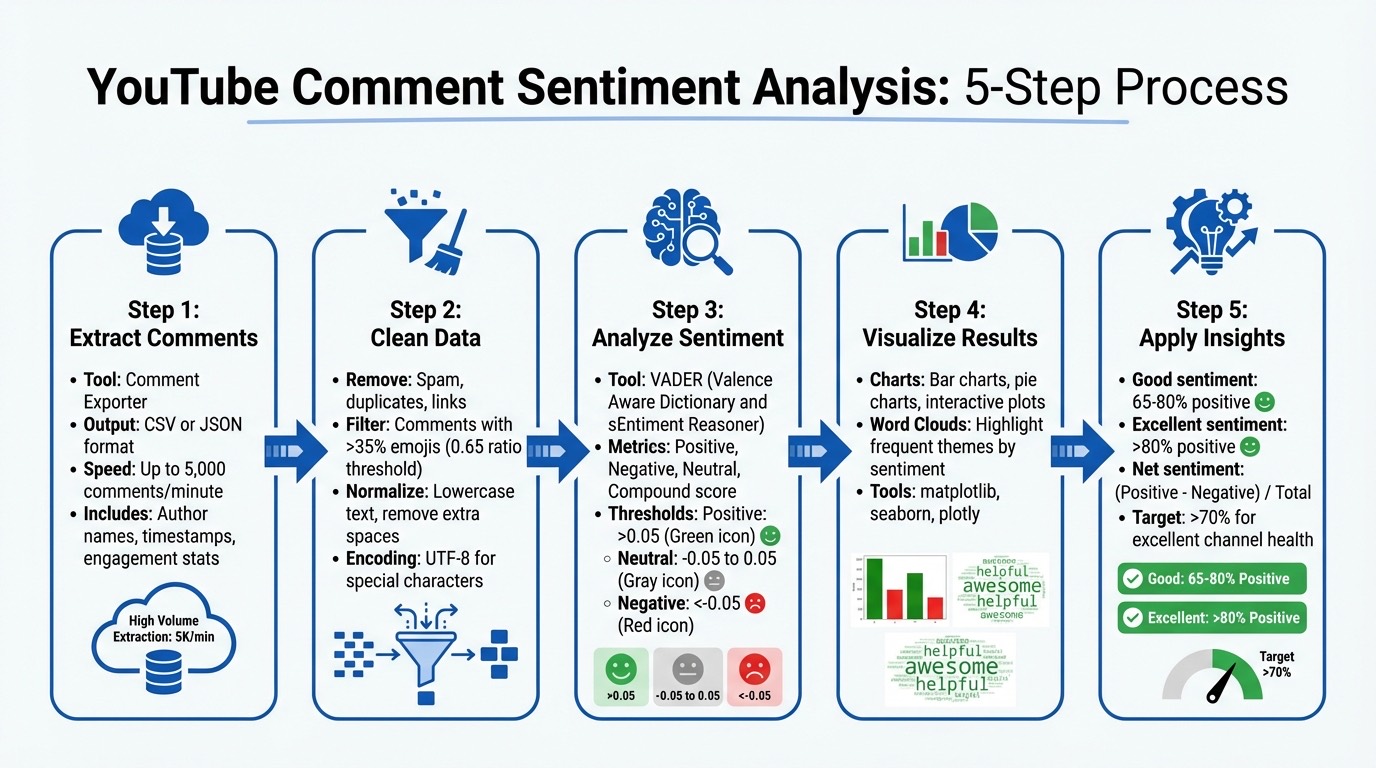
5-Step YouTube Comment Sentiment Analysis Workflow
Python Sentiment Analysis Project with NLTK and 🤗 Transformers. Classify Amazon Reviews!!

sbb-itb-eded204
How to Extract YouTube Comments with Comment Exporter
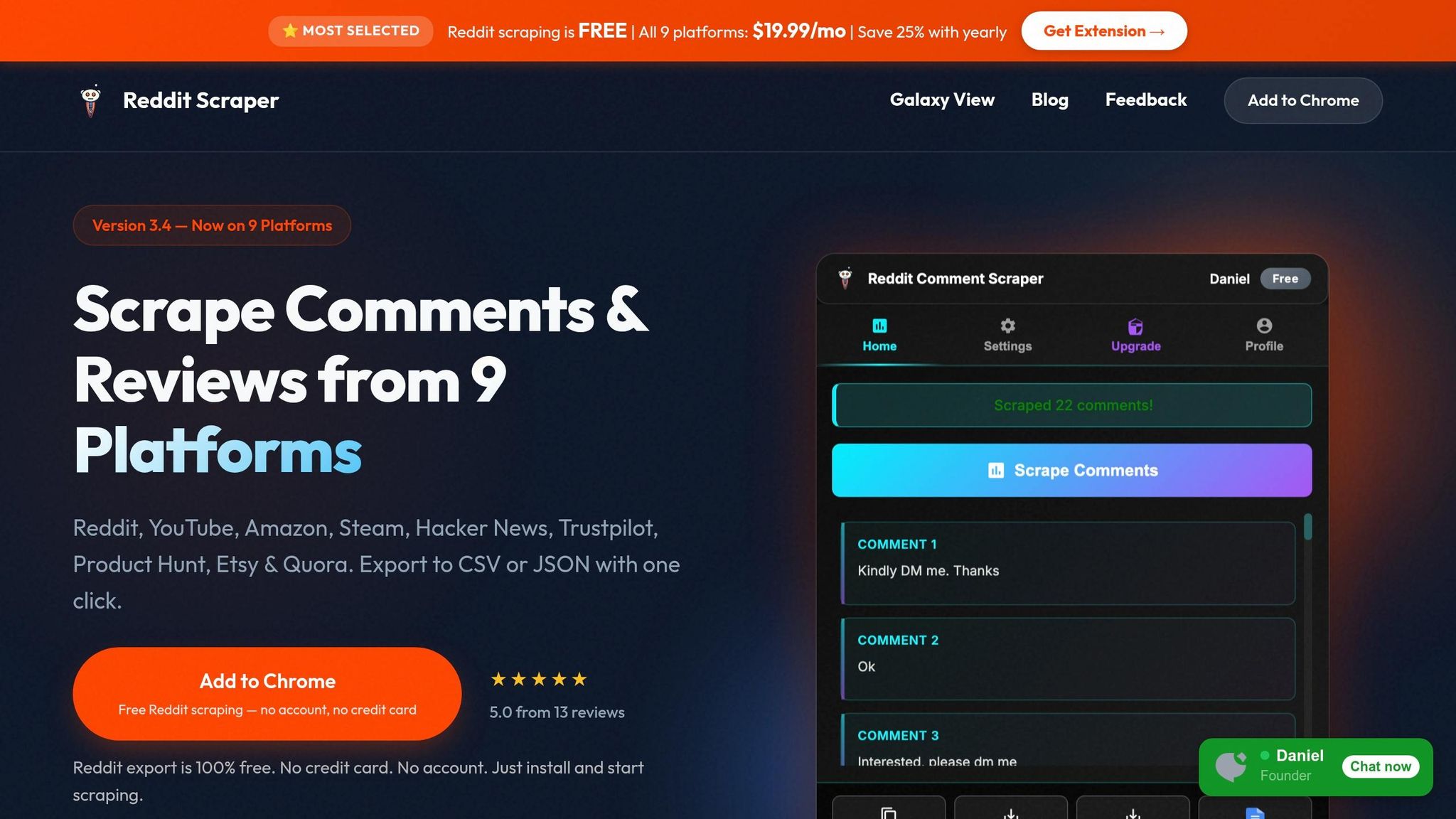
To dive into sentiment analysis, the first step is gathering raw comment data. Manually copying comments from YouTube isn’t realistic - especially when dealing with thousands of them. That’s where Comment Exporter comes in. This tool automates the entire process, enabling you to extract comments from any public YouTube video, Short, or Live Stream replay. It simplifies the task, making sentiment analysis much more efficient.
The exported data is available in CSV or JSON formats, complete with metadata like author names, timestamps, and engagement stats. If you’re working in Excel, Google Sheets, or Python’s Pandas library, CSV is the way to go. On the other hand, JSON is perfect for developers who need to maintain nested reply chains or integrate the data into web applications and NoSQL databases.
Installing and Setting Up Comment Exporter
Start by visiting the Chrome Web Store, searching for Comment Exporter, and clicking "Add to Chrome." Once it’s installed, pin the extension to your browser toolbar for easy access.
When you’re ready to extract comments, head to the YouTube video you want to analyze. Click the Comment Exporter icon on your toolbar to ensure the extension recognizes the page. This structured data collection is the foundation for effective sentiment analysis.
Exporting Comments for Analysis
With the setup complete, you can begin the extraction process. Click the extension icon and select "Extract Comments." The tool takes care of infinite scrolling and expands hidden reply threads automatically. For videos with fewer than 500 comments, the process takes just seconds, while larger datasets may require a few minutes.
Once the extraction is done, you can choose between "Export CSV" or "Export JSON" formats. The file downloads directly to your device, and all metadata remains intact. This metadata provides the context you’ll need for accurate sentiment analysis. Impressively, the tool can handle up to 5,000 comments per minute, making it ideal for analyzing even the most popular videos.
"INCREDIBLE product! It was the solution we needed to save us WEEKS of work!!!" - Krystal Roberts, Localization Specialist & Transcription Lead
Cleaning and Preparing Comment Data
Raw YouTube comments can be messy - they're often filled with spam, duplicates, links, or an overwhelming number of emojis. To ensure your sentiment analysis captures genuine viewer feedback, it's crucial to clean and standardize this data properly.
"The first part of any Natural Language Processing project is to get a database. Indeed, having the whole dataset cleaned and labeled only applies on Kaggle, not in real life." - François St-Amant
This cleaning process involves two key steps: filtering out irrelevant content and normalizing the text. For instance, researchers suggest filtering out comments where emojis make up more than 35% of the total character count, using a threshold ratio of 0.65.
Filtering Out Irrelevant Comments
Start by removing comments that don't add value to your analysis. If you're working with Python and the pandas library, you can eliminate duplicate comments using:
df.drop_duplicates(subset=['Comment'])
Next, identify and remove comments with hyperlinks, as these are often spam or promotional. A regular expression like the one below works well for this:
r'http[s]?://(?:[a-zA-Z0-9]|[$-_@.&+]|[!*\\(\\),]|(?:%[0-9a-fA-F][0-9a-fA-F]))+'
You can use Python's re.search() function to apply this filter. Additionally, exclude comments from the video uploader to keep the focus on audience feedback.
Comments that consist entirely of emojis or special characters aren't helpful for sentiment analysis. Use the emoji Python package to calculate the ratio of emojis to text, and remove comments that exceed your set threshold. Similarly, filter out entries lacking alphanumeric characters by applying Python's isalnum() method.
Normalizing Text Data
Once you've filtered the comments, it's time to standardize the text. Convert all text to lowercase using .lower() and remove unnecessary spaces with .strip().
To make tokenization easier, replace punctuation with spaces. You can do this using:
re.sub(r'[^\w]', ' ', text)
When saving or loading your cleaned data, ensure you're using UTF-8 encoding (e.g., open("file.csv", "w", encoding="utf-8")) to avoid issues with special characters like emojis. Also, keep metadata columns like likeCount and publishedAt. These can provide additional context, such as weighting the importance of certain sentiments during analysis.
With your data cleaned and standardized, you're ready to move forward and use tools like VADER to classify sentiment effectively.
Running Sentiment Analysis with VADER
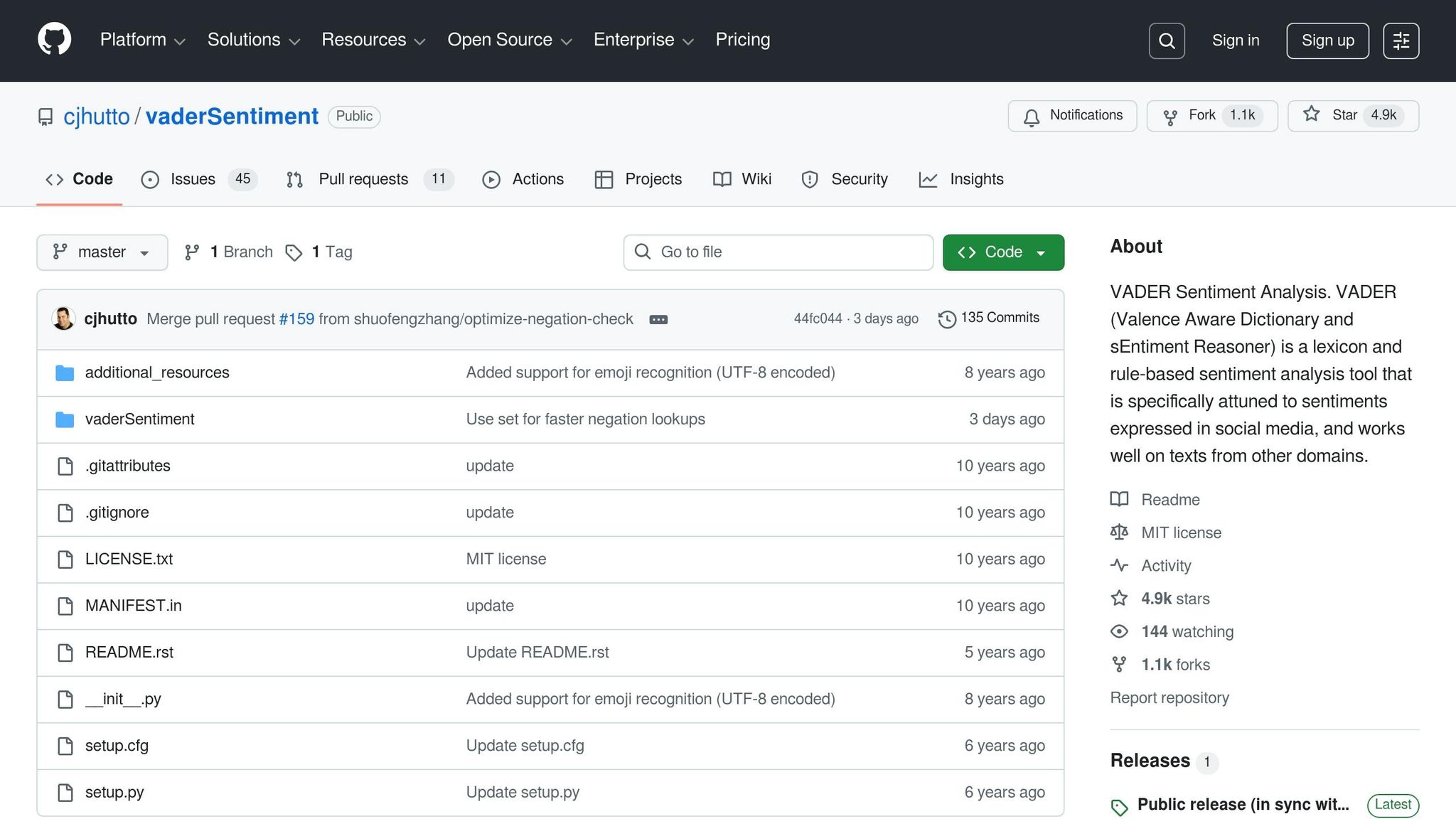
Once you've cleaned your YouTube comments, the next step is to use VADER (Valence Aware Dictionary and sEntiment Reasoner) to determine the emotional tone of each comment. VADER is tailored for analyzing social media text, making it adept at handling slang, emojis, and informal language.
Setting Up VADER
To get started, install VADER by running the following command in your terminal:
pip install vaderSentiment
If you're already working with NLTK for text processing, you can also access VADER through it by downloading its lexicon:
nltk.download('vader_lexicon')
Once installed, initialize the sentiment analyzer in your Python script:
from vaderSentiment.vaderSentiment import SentimentIntensityAnalyzer
analyzer = SentimentIntensityAnalyzer()
This creates a SentimentIntensityAnalyzer instance, which you can use to evaluate text with the polarity_scores() method.
Classifying Comment Sentiments
VADER breaks down sentiment into four metrics: positive, negative, neutral, and a compound score. The compound score, which ranges from -1 (most negative) to +1 (most positive), provides an overall sentiment evaluation.
To classify the sentiment of YouTube comments, you can apply the analyzer to a DataFrame column using a lambda function. Then, use these thresholds to categorize the sentiment:
| Sentiment Category | Compound Score Threshold |
|---|---|
| Positive | > 0.05 |
| Neutral | -0.05 to 0.05 |
| Negative | < -0.05 |
For example, in July 2025, GeeksforGeeks analyzed 600 YouTube comments about the film Mission Impossible - Dead Reckoning Part One. After filtering comments with a text-to-emoji ratio of 0.65 or higher, they applied VADER and discovered an average compound score of 0.2683, reflecting a generally positive audience response. The most positive comment scored 0.9968, while the most negative reached -0.9923, shedding light on specific marketing obstacles in Latin America.
Visualizing Sentiment Analysis Results
Turning raw VADER sentiment scores into visuals makes it easier to spot trends and guide content strategy adjustments. When analyzing thousands of comments, visualizations help summarize audience sentiment effectively. Python libraries like matplotlib, seaborn, and plotly are excellent tools for transforming sentiment data into clear and engaging charts.
Creating Distribution Charts
Bar and pie charts are great for showing sentiment distributions. Bar charts compare the frequency of positive, neutral, and negative comments, while pie charts illustrate how much each sentiment contributes to the total.
To start, use the value_counts() method on your sentiment column to group data into sentiment categories (Positive, Neutral, Negative) and their respective counts. With matplotlib, you can create a bar chart by setting the x-axis to sentiment types and the y-axis to their counts. Add labels like "Sentiment Type" for the x-axis and "Number of Comments" for the y-axis to make it clear.
For interactive visualizations, plotly is a powerful option. It allows users to hover over bars for precise data points. In November 2020, developer Kiran P demonstrated this by pulling data in JSON format, converting it to a Python dictionary with the json() method, and using the offline.plot function to create an interactive bar chart titled "Most_Popular_JavaScript_Repos.html." This approach works particularly well for visualizing sentiment counts from sources like YouTube comments.
"A picture is worth a thousand words"
– Kiran P, Tutorialspoint
In February 2026, a sentiment analysis project examined comments from three major YouTube channels - Edureka, freeCodeCamp, and Programming with Mosh. The results showed 46.0% of comments were positive, 9.3% were negative, and 44.7% were neutral. These visuals allowed content creators to pinpoint which topics resonated most with their audience.
Pair these numerical insights with qualitative data using word clouds, as explained in the next section.
Generating Word Clouds
Word clouds provide a creative way to highlight the most frequent themes within each sentiment group. In these visuals, the size of a word indicates its frequency, making it easy to identify dominant topics.
Start by using the cleaned text from earlier steps. Group your dataset by sentiment - positive, negative, and neutral - and combine all comments in each group into one large string using ' '.join(comments).
With Python's WordCloud object, you can customize the dimensions, font size, and background color of your word cloud. Display the final visualization using matplotlib with plt.imshow(wordCloud, interpolation='bilinear') for a smoother appearance, and remove unnecessary axis lines with plt.axis('off').
In the same February 2026 study, the positive word cloud prominently featured the word "Thank", reflecting high levels of viewer satisfaction and gratitude. This insight confirmed that audiences appreciated detailed explanations and helpful teaching styles, giving content creators a clear direction for future improvements.
Applying Sentiment Insights to Your Content Strategy
Once you've exported and analyzed your YouTube comments, the real value comes from using those insights to refine your content approach. Sentiment data isn't just numbers; it's a tool to enhance viewer satisfaction and boost engagement. By leveraging these patterns, you can make targeted improvements that resonate with your audience.
Identifying What Your Audience Likes
Positive sentiment highlights what’s working in your videos. Instead of guessing, you can pinpoint the specific elements viewers enjoy - whether it’s your clear explanations, practical examples, or the pacing of your delivery. Pay close attention to highly upvoted comments, as these reflect a consensus within your community rather than isolated opinions. When multiple viewers rally around the same positive feedback, you’ve found something worth repeating.
"YouTube comments are a goldmine of audience insights that most creators never fully utilize." - NoteLM Team
A positive sentiment ratio between 65-80% is considered "Good," while anything above 80% is "Excellent". If your channel is hitting these benchmarks, dig deeper to understand which topics or formats are driving this success. For example, recurring questions like "Can you explain..." or "How do I..." could inspire future FAQ-style videos or follow-up content. Even within positive comments, look for feature requests - phrases like "I wish this had..." or "You should add..." can serve as a roadmap for future uploads.
Another key metric to monitor is net sentiment (calculated as Positive - Negative / Total). A score above 70% indicates excellent channel health. Use this metric to evaluate how new content formats or changes are being received by your audience.
Responding to Negative Feedback
While positive comments highlight your strengths, negative feedback offers a clear view of what needs improvement. Systematically analyzing these comments can help you identify areas for targeted fixes. Use sentiment analysis to break down negative feedback into specific categories, such as audio quality, pacing, or content relevance. This aspect-based approach allows you to prioritize issues based on their frequency and overall impact.
Focus on highly engaged negative comments - those with many likes or replies signal widespread frustration that demands immediate attention. For example, if a consumer electronics company finds that 23% of their comments complain about battery life, compared to only 8% for a competitor, that data clearly justifies prioritizing a hardware update. Similarly, if your content receives multiple highly-liked comments about poor audio quality, addressing this technical issue should be a top priority.
Don’t overlook "mixed" sentiment comments that combine praise and criticism, such as "Great tutorial, but the audio is poor." These provide constructive feedback by showing what’s working and what needs adjustment. Use these insights to create FAQ content or tutorials that address common concerns upfront, reducing the likelihood of similar complaints in future videos.
| Sentiment Pattern | What It Means | Your Next Step |
|---|---|---|
| High Negative / Low Positive | Content or delivery issues | Identify and address specific technical or stylistic complaints |
| Mixed (High Pos / High Neg) | Polarizing or controversial content | Determine if the controversy aligns with your brand’s goals |
| High Neutral | Educational or tutorial content | Focus on engagement metrics, like replies and likes, rather than emotional reactions |
Conclusion
Analyzing YouTube comment sentiment is a straightforward process broken into five main steps: extracting your data, filtering out spam and irrelevant comments, conducting sentiment analysis with tools like VADER, visualizing the results with charts and word clouds, and using those insights to refine your content strategy. This approach transforms thousands of raw comments into meaningful feedback, helping you understand what resonates with your audience and what might need adjustment.
One tool that makes this process much easier is Comment Exporter. It simplifies data extraction by handling infinite scrolling and dynamic loading, allowing you to pull thousands of comments in seconds. Plus, it retains crucial metadata like timestamps, like counts, and nested replies. With over 8 million YouTube comments exported so far, this tool helps creators and marketers move quickly from raw data to actionable insights.
The structured CSV and JSON exports provide all the context needed for accurate sentiment analysis, saving significant time during the cleaning and evaluation stages. Whether you're analyzing a single video or monitoring trends across your entire channel, starting with clean, organized data makes the process much smoother. This efficiency allows creators to focus on what truly matters - building stronger content strategies and engaging more effectively with their audience.
FAQs
How accurate is VADER on YouTube comments?
VADER is a popular tool for assessing sentiment in YouTube comments and social media posts. It’s particularly effective at categorizing sentiments as positive, negative, or neutral. However, it has limitations when it comes to interpreting subtleties like sarcasm or slang, which are common in informal online communication. While it provides dependable general insights, its accuracy might fluctuate with less formal language. For more precise results, pairing VADER with other tools or incorporating manual reviews can be a smart approach.
What’s the best way to handle sarcasm and slang?
Handling sarcasm and slang in sentiment analysis for YouTube comments is tricky because it demands a deep understanding of context and subtle hints like emojis, punctuation, and tone. Sarcasm, for instance, often flips the meaning of positive words into something negative, which can easily mislead simpler models. To tackle this, advanced systems rely on context-rich training data. They’re designed to detect sarcasm more effectively and preprocess slang, abbreviations, and emojis, making it easier to interpret the layered meanings behind nuanced comments.
How do I track sentiment changes over time?
To monitor shifts in sentiment within YouTube comments, extract comment data at regular intervals, such as weekly or monthly. Analyze each batch to determine whether the sentiment is positive, negative, or neutral. Tools like Comment Exporter make this process easier by allowing you to download comments in formats like CSV or JSON, complete with timestamps and metadata. By comparing sentiment data over time, you can spot trends and refine your content strategy to better align with audience feedback.
For bigger pulls and analysis, see the YouTube MCP and Adlicio pricing.