YOUTUBE + 10 MORE Reddit scraping is FREE | All 12 platforms, including $49/mo | Save 32% with yearly Get Extension →
Comment Scraper for YouTube

Export YouTube Comments to CSV & JSON

Scrape and download YouTube comments from any video with one click. Export all comments, replies, timestamps, and like counts — ready for analysis in Excel, Google Sheets, or your favorite tool.

Trusted by 16,000+ users
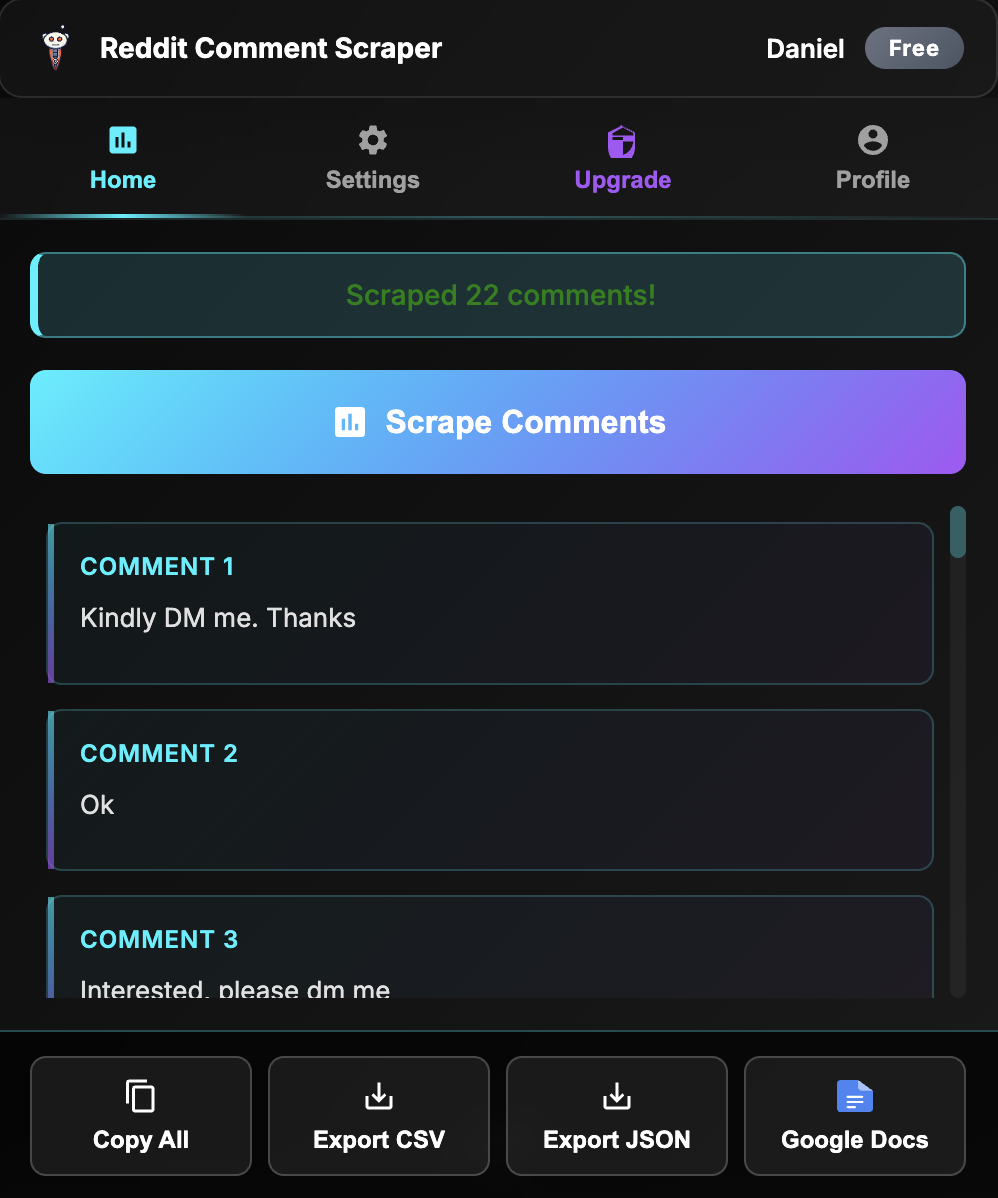
Chrome extension exporting YouTube comments

How to Scrape & Download YouTube Comments

Export comments in three simple steps — no coding, no API keys, no setup required.

1️⃣

Open Any YouTube Video

Navigate to the public video whose comments you want to scrape.

2️⃣

Click "Scrape Comments"

Open the extension and hit scrape. It automatically scrolls through and captures every comment and reply.

3️⃣

Export to CSV or JSON

Download the comments as CSV for Excel/Sheets or JSON for developers and automation tools.

⚡

Lightning Fast

Scrape thousands of comments in seconds. Handles large threads with pagination built-in.

What You Get When You Export YouTube Comments

Every comment export includes complete metadata — not just the text.

  • Comment Text & Replies: Full comment text plus all nested replies, preserving the conversation thread structure
  • Author Information: Comment author name and channel link for each comment
  • Engagement Data: Like counts and reply counts so you can identify the most popular comments
  • Timestamps: When each comment was posted, useful for tracking sentiment over time
  • CSV & JSON Formats: CSV opens directly in Excel, Google Sheets, or Airtable. JSON is ready for Python, Node.js, or AI analysis pipelines

Why Scrape YouTube Comments?

  • Content Research: Analyze what your audience is saying in the comments to plan better content. Find questions, complaints, and ideas from real viewers.
  • Sentiment Analysis: Export comments to CSV and run sentiment analysis in Excel, Python, or your favorite tool to understand audience mood at scale.
  • Competitor Analysis: Scrape comments from competitor videos to understand what their audience wants, what they're frustrated about, and where you can differentiate.
  • Academic Research: Collect structured comment datasets for social science research, behavioral analysis, and NLP studies.
  • Brand Monitoring: Track what people say about your brand in comment sections across multiple videos and channels.

Ready to start? Install the Chrome extension — it works as a comment scraper and downloader for YouTube in one. YouTube comment downloading is included with the Starter plan. Also works with Reddit, Amazon, Steam, Hacker News, Product Hunt, Etsy, Quora, Facebook, Google Maps, and Shopify.

What Users Say

★★★★★

"Compared to other tools, the price is incredibly low for the quality it delivers. I can now export reviews from Amazon and Etsy in seconds. Highly recommend for anyone who needs structured data fast."

— Mitran Marian

★★★★★

"I was worried the outputs won't fit my use case. Then I exported 2,000 Reddit comments and loaded them straight into my research pipeline. CSV was clean, metadata was complete. Exactly what I needed."

— Pendo Kessam

★★★★★

"Great extension that covers a wide range of platforms. Perfect for gathering research data without having to manually copy-paste from multiple sites."

— Alfon Labadan

Rated 4.6/5 from 40 reviews on Chrome Web Store

Add to Chrome, It's Free

Free Reddit scraping. All 12 platforms with Starter ($49/mo).

Comment Scraper & Downloader for YouTube FAQ

Add to Chrome, It's Free

Free Reddit scraping. All 12 platforms with Starter ($49/mo).

For bigger pulls and analysis, see the YouTube MCP and Adlicio pricing.