FACEBOOK + 29 MORE Starter $49/mo — Facebook + 29 more sources Get Extension →
Comment Scraper for Facebook

Export Facebook Comments to CSV & JSON

Use this comment scraper for Facebook to collect comments from any public post permalink. Export clean CSV or JSON for ad-comment mining, community research, and analysis.

Add to Chrome Free to install
★★★★★ 4.6 rating
Trusted by 16,000+ users
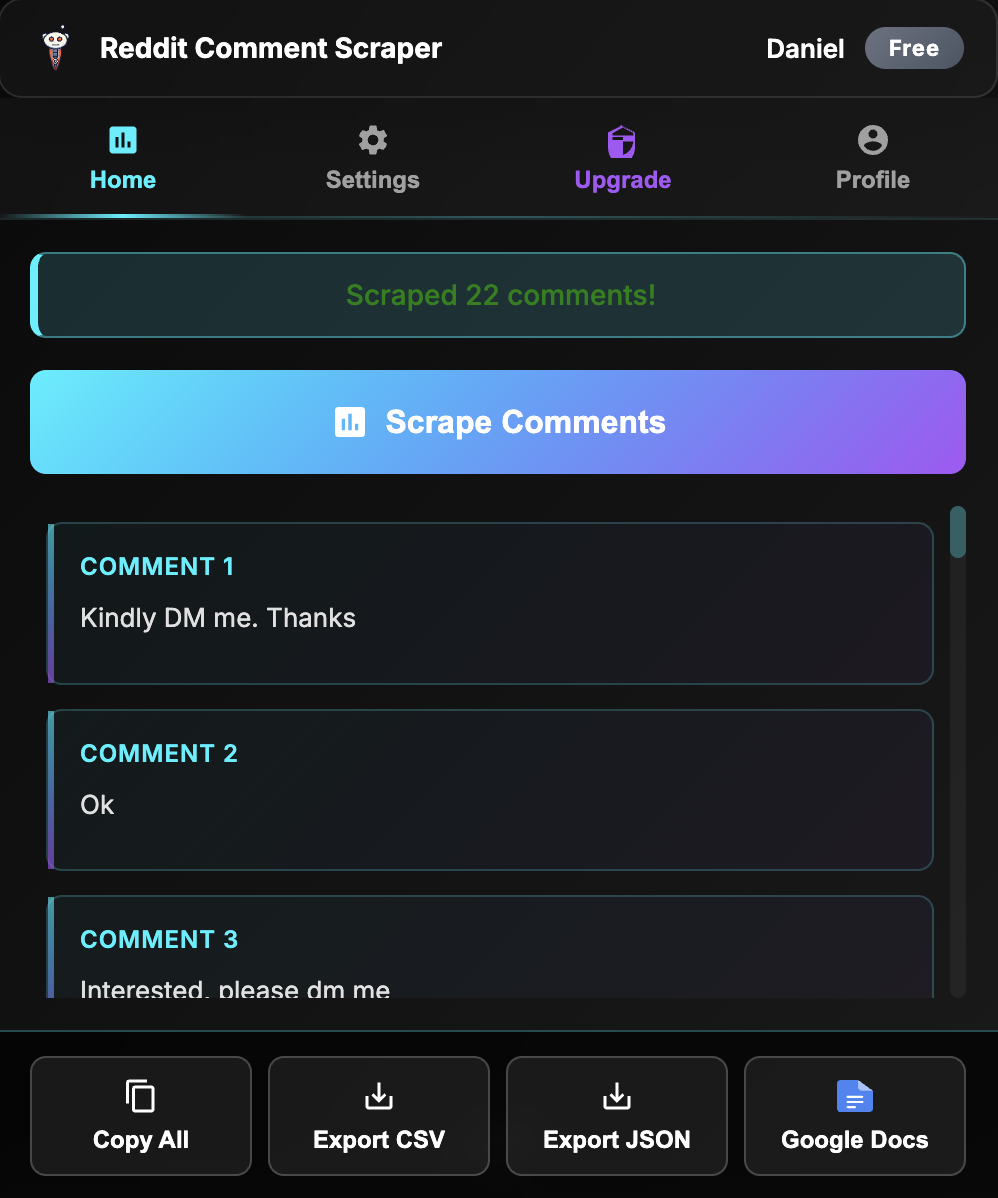
Chrome extension exporting Facebook comments

How to Scrape Facebook Comments

Export comments in three simple steps — no coding, API key, or setup required.

1️⃣

Open a Public Post Permalink

Navigate to the public post whose comments you want to collect.

2️⃣

Click "Scrape Comments"

Open the extension and start scraping to capture the comments available on the post.

3️⃣

Export to CSV or JSON

Download the comments as CSV for spreadsheets or JSON for scripts and analysis tools.

💬

Community & Ad Mining

Pull objections and buying questions from public ad comments and community posts.

What You Get When You Export Facebook Comments

Every comment export includes structured data — not just the comment text.

  • Comment Text & Replies: Full comment text plus available replies, preserving conversation context
  • Author Information: Available author details for each comment and reply
  • Engagement Data: Available reaction and reply counts for identifying important comments
  • Timestamps: Available posting times for tracking discussion and sentiment over time
  • CSV & JSON Formats: CSV opens in Excel, Google Sheets, or Airtable. JSON is ready for Python, Node.js, or AI analysis pipelines

Why Scrape Facebook Comments?

  • Ad-Comment Mining: Extract objections, buying questions, and proof points from comments under public ads.
  • Community Research: Turn discussions on public posts into structured qualitative data for audience analysis.
  • Competitor Analysis: Compare how people respond to competitor offers, campaigns, and product announcements.
  • Customer Support Insights: Identify recurring questions and frustrations that product, sales, and support teams should address.
  • Message Development: Use the language people naturally write in comments to improve landing pages, emails, and ad copy.

Ready to start? Install the Chrome extension. Facebook posts and groups are on the Starter plan. To export a whole group, see how to scrape Facebook group posts. Also works with YouTube, Amazon and Google Maps.

Comment Scraper for Facebook FAQ

To turn comments and reviews into ad angles, see voice of customer research and Adlicio pricing.