7 Best YouTube Comment Scrapers, Exporters & Downloaders in 2026 (Free & Paid)
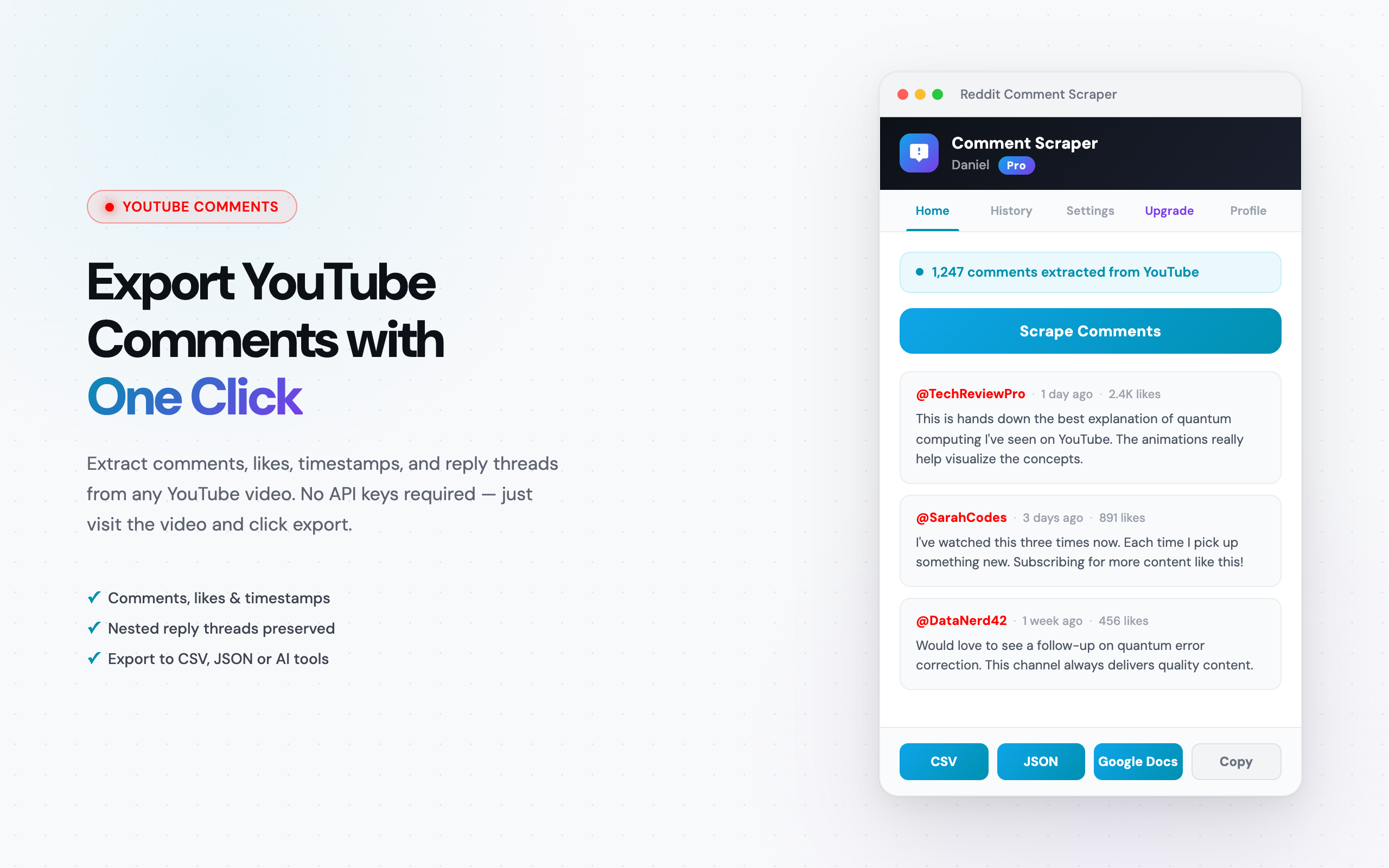
Why Export YouTube Comments?
YouTube is the second-largest search engine in the world, and its comment sections are a goldmine of unfiltered user feedback. Product managers mine them for feature requests. Marketers track brand sentiment across competitor videos. Researchers build datasets for NLP and opinion mining. Content creators use them to understand what their audience actually wants.
The problem: YouTube does not offer a native export or download button. You cannot select all comments and copy them to a spreadsheet. To download YouTube comments into a structured format -- CSV, Excel, or JSON -- you need a third-party scraper or downloader.
There are roughly 7 YouTube comment scrapers and downloaders worth considering in 2026, ranging from free browser extensions to cloud APIs to the official YouTube Data API. Each comes with different tradeoffs around cost, comment volume limits, technical difficulty, and export format support. This guide breaks down all of them so you can pick the right one for your specific use case.
Quick Comparison Table
Here is every tool at a glance before we dive into the details:
| Tool | Type | Price | Export Formats | Coding Required |
|---|---|---|---|---|
| Comment Exporter | Chrome extension | Free (Reddit) / $49/mo | CSV, JSON | No |
| YouTube Data API v3 | REST API | Free (quota limits) | JSON (raw) | Yes |
| ExportComments.com | Web app | Free tier / $18-$199/mo | CSV, Excel, JSON | No |
| Thunderbit | Chrome extension | Free (6 pages) / $15-38/mo | CSV, Excel | No |
| YouTube Comment Suite | Desktop app | Free (open source) | CSV, JSON | No |
| Apify YouTube Scraper | Cloud API | $5 free credits / $39+/mo | CSV, Excel, JSON, XML | No (point-and-click) |
| Manual Copy-Paste | Manual | Free | Google Sheets | No |
1. Comment Exporter -- The Multi-Platform Option
What it is: A Chrome extension -- originally built as a Reddit comment scraper -- that now supports 12 platforms including YouTube. It is the only tool in this comparison that lets you export YouTube comments, Reddit threads, Amazon reviews, Steam reviews, Hacker News discussions, Product Hunt comments, Etsy reviews, Quora answers, Facebook comments, Google Maps reviews, and Shopify reviews from a single extension.
If you are reading this article because you need a YouTube comment scraper but also pull data from other review and discussion platforms, this is the tool worth evaluating first. For a walkthrough of the YouTube-specific workflow, see our step-by-step YouTube export guide.
Strengths:
- 12 platforms, one extension: YouTube, Reddit, Amazon, Steam, Hacker News, Product Hunt, Etsy, Quora, Facebook, Google Maps, and Shopify. No other single tool in this list covers this range of review and discussion sites
- One-click export: Navigate to a YouTube video, click the extension icon, and download your CSV or JSON. No URL pasting, no account creation, no configuration
- Captures replies and metadata: Exports comment text, author name, timestamps, like counts, and nested reply threads
- Privacy-first: Data processing happens locally in your browser. Nothing gets sent to external servers
- Flat pricing: $49/month or $399/year for all 12 platforms with exports. No per-export fees
Limitations:
- YouTube export requires the paid Starter plan -- the free tier only covers Reddit
- Chrome-only (no Firefox or Safari)
- No scheduled or automated recurring exports
- No Instagram, Facebook, or TikTok support
Pricing:
- Free: Reddit comment export to start, no card
- Pro: $9.99/mo or $79.99/year -- no cap on Reddit scrapes in the Chrome extension
- Starter: $49/mo or $399/year -- 250 credits a month across 30 sources
Best for:
Researchers, product managers, and marketers who work across multiple platforms -- not just YouTube. If you are already pulling Reddit threads or Amazon reviews, adding YouTube export from the same tool eliminates context-switching and extra subscriptions. The flat pricing makes it predictable for frequent use.
2. YouTube Data API v3 -- The Developer Approach
What it is: Google's official REST API for accessing YouTube data programmatically. The commentThreads.list and comments.list endpoints let you retrieve comments for any public video in structured JSON format. Free to use, but requires writing code.
Strengths:
- Completely free: No subscription fees. Google provides 10,000 quota units per day at no cost, and each page of comments costs just 1 unit (returning up to 100 comments)
- Full data fidelity: Returns every available field -- comment text, author details, channel IDs, like counts, publish dates, reply counts, and moderation status
- Programmatic control: Filter by relevance or time, paginate through thousands of comments, and pipe results directly into your analysis pipeline
- No third-party dependency: You are working directly with Google's infrastructure. No risk of a Chrome extension breaking or a startup shutting down
- Quota increases available: If 10,000 units per day is not enough, you can request higher limits through a compliance audit (also free)
Limitations:
- Requires coding: You need to write Python, JavaScript, or another language to make API calls, handle pagination, and format the output into CSV or Excel. This is not a click-and-download solution
- Quota ceiling: 10,000 units per day means roughly 1,000,000 comments per day at best -- more than enough for most users, but a bottleneck for large-scale scraping operations
- Replies require separate calls: Top-level comments come from
commentThreads.list, but reply threads require additionalcomments.listcalls with aparentIdparameter - Setup overhead: You need to create a Google Cloud project, enable the YouTube Data API, and generate an API key before making your first request
Pricing:
- Free: 10,000 quota units/day (roughly 100,000-1,000,000 comments depending on pagination)
Best for:
Developers, data scientists, and technical researchers who want maximum control and zero cost. If you are comfortable writing a Python script and want to integrate YouTube comment data into an automated pipeline, the API is the most reliable long-term option. For everyone else, a no-code tool will save hours of setup time.
3. ExportComments.com -- The Web App Approach
What it is: A dedicated web application for exporting comments from social media and video platforms. Paste a YouTube URL into the site, and it returns a downloadable CSV, Excel, or JSON file. No extension or software installation required.
Strengths:
- No installation: Works entirely in the browser. Paste a link, click export, download your file. The lowest friction option for one-off exports
- Multiple social platforms: Covers YouTube, Instagram, Facebook, Twitter/X, TikTok, and Vimeo -- making it the strongest option for social media comment export
- Three export formats: CSV, Excel (.xlsx), and JSON output for flexibility in downstream tools
- Free tier available: Export comments with daily limits at no cost
Limitations:
- No Reddit or Steam support: Focused on social and video platforms, not review or discussion sites
- Pricing jumps are steep: The Personal plan is $18 per 3 days, the Premium plan is $45/month, and the Business plan is $199/month. The per-3-day Personal tier can get expensive fast if you need regular access
- No bulk processing: Each URL must be submitted individually. No batch mode for processing multiple videos at once
- Web-only: No Chrome extension or desktop app -- you must return to the website for every export
Pricing:
- Free: Daily export limits
- Personal: $18 per 3 days -- unlimited exports
- Premium: $45/month -- unlimited exports, full features
- Business: $199/month -- team collaboration, scale features
Best for:
Social media managers and community managers who primarily need YouTube, Instagram, TikTok, and Facebook comment exports. If YouTube is your main platform and you also work with social media comments, ExportComments covers that niche well. Its Premium plan is $45/month, compared with Comment Exporter's $49/month Starter tier.
4. Thunderbit -- The AI Scraper Approach
What it is: An AI-powered Chrome extension for general-purpose web scraping. Thunderbit uses visual AI to identify data fields on any webpage and extract them into structured tables. It includes a specific YouTube Comments Exporter template, but its core value is scraping data from any site -- not just YouTube.
Strengths:
- AI-powered field detection: Describe the data you want in plain language instead of configuring CSS selectors. The AI identifies comment text, authors, likes, and timestamps automatically
- YouTube-specific template: A pre-built one-click template for YouTube comment export that extracts author, content, author URL, and thumbs-up count
- Broad export destinations: Send data directly to Google Sheets, Airtable, Notion, or download as CSV and Excel
- General scraping capability: Useful for more than comments -- can scrape product listings, directories, pricing pages, and more
Limitations:
- Credit-based pricing: 1 credit = 1 output row. Scraping a video with 5,000 comments uses 5,000 credits. On the $15/month plan, you get 500 credits -- enough for roughly one small video
- Free tier is very limited: Only 6 pages per month on the free plan, which is not practical for regular YouTube comment exports
- Jack-of-all-trades tradeoff: Because it is a general scraper, the YouTube comment output may be less structured than purpose-built tools. Field detection is AI-dependent and can occasionally misidentify data
- No dedicated review-platform support: Does not natively handle Steam, Hacker News, or Product Hunt like Comment Exporter does
Pricing:
- Free: 6 pages/month
- Starter: $15/month ($9/month billed yearly) -- 500 credits
- Higher tiers: Up to $38/month for larger credit allocations
Best for:
Users who need a general web scraping tool that happens to also do YouTube comments. If you are scraping product catalogs, job listings, or lead data alongside the occasional YouTube export, Thunderbit consolidates those needs. But if YouTube comments are your primary use case, the credit-based model is expensive -- 500 credits at $15/month covers roughly one video with a few hundred comments.
5. YouTube Comment Suite -- Open Source Desktop App
What it is: A free, open-source Java desktop application built by developer mattwright324. It downloads YouTube comments from videos, playlists, and entire channels for archiving, searching, and activity analysis. Available on GitHub under the MIT license.
Strengths:
- Completely free and open source: No subscription, no credits, no limits. Download the JAR file and start exporting
- Bulk processing: Add multiple channels, playlists, and individual videos to a single group and download all comments in one operation. This is the only tool in the list with true batch processing across channels
- Advanced search and filtering: Search downloaded comments by username, keyword, date range, comment length, and comment type (top-level vs. reply)
- Built-in analytics: View stats on publish frequency, most popular videos, most commented videos, and top commenters without needing a separate analysis tool
- Offline archival: Save thumbnails and profile images for offline access. Useful for long-term archiving projects
Limitations:
- Requires Java 8+: You need Java installed on your machine, and the app runs as a JAR file. Not as frictionless as a Chrome extension
- Desktop-only: Windows and Linux supported. No web version, no browser extension, no mobile option
- YouTube-only: Does not support any other platforms. If you need Reddit or Amazon comments, you will need a second tool
- Relies on YouTube API quotas: Uses the YouTube Data API v3 under the hood, so you are subject to the same 10,000 units/day quota. Large channels may take multiple days to fully download
- Community-maintained: Last release was v1.4.9 in November 2024. Updates depend on a single developer's availability
Pricing:
- Free: Open source, no cost, no limits beyond API quotas
Best for:
Researchers and archivists who need to download and search through large volumes of YouTube comments across many videos and channels. The group-based workflow and built-in search make it uniquely suited for longitudinal studies or channel-wide comment analysis. The tradeoff is setup friction (Java) and being limited to YouTube only.
6. Apify YouTube Scraper -- The Cloud API Approach
What it is: A cloud-based scraping platform with a dedicated YouTube Comments Scraper "actor" (Apify's term for pre-built scraping templates). You input video URLs through a point-and-click web interface or via API, and Apify's cloud infrastructure handles the extraction, returning results in multiple formats.
Strengths:
- No local setup: Everything runs in Apify's cloud. No browser extension, no desktop app, no coding required for basic use
- High volume capability: Designed for scale -- handle multiple video URLs at once by uploading a CSV or Google Sheet of URLs
- Rich export formats: Download results as JSON, Excel, CSV, XML, or HTML table. The most format options of any tool in this list
- Nested replies included: Captures reply threads along with author details, like counts, and timestamps
- API access: Integrate Apify into automated workflows via their REST API. Schedule recurring scrapes on a cron-like basis
- Bypasses API quotas: Does not rely on the YouTube Data API, so you avoid Google's 10,000 units/day limit
Limitations:
- Credit-based pricing: The free tier gives $5 of platform credits per month -- enough for roughly 16,000 comments. After that, the Starter plan is $39/month
- YouTube-only per actor: Each Apify actor is platform-specific. If you need Reddit or Amazon scraping, you must find and pay for separate actors
- Learning curve: The Apify platform has its own terminology (actors, runs, datasets, key-value stores) that takes time to learn
- Proxy costs: Some scraping scenarios require residential proxies, which are included in paid plans but can burn through credits faster
Pricing:
- Free: $5 in platform credits/month (~16,000 comments)
- Starter: $39/month -- $39 in credits, chat support
- Scale: $199/month -- higher limits
- Business: $999/month -- dedicated account manager
Best for:
Teams that need to scrape YouTube comments at scale, on a schedule, or as part of an automated data pipeline. If you are processing dozens of videos per week and need results delivered to a webhook or database, Apify's cloud infrastructure handles that. For occasional one-off exports, the platform complexity is overkill.
7. Manual Copy-Paste + Google Sheets -- The Free Fallback
What it is: The zero-cost, zero-tool approach. Scroll through a YouTube video's comment section, manually select and copy comments, and paste them into a Google Sheets spreadsheet. No software, no API keys, no subscriptions.
Strengths:
- Completely free: Requires nothing but a browser and a Google account
- No setup: No extensions to install, no accounts to create, no code to write
- Works on any browser: Chrome, Firefox, Safari, Edge -- does not matter
- Full control over selection: You can hand-pick specific comments that are relevant rather than downloading everything
Limitations:
- Extremely slow: Manually copying 100 comments takes 30-60 minutes. A tool can do it in seconds
- No metadata: You lose timestamps, like counts, reply threading, and author channel links. Only the raw text gets captured reliably
- Scroll-loading bottleneck: YouTube loads comments dynamically as you scroll. You must manually scroll through the entire comment section before you can even see all the comments -- and on popular videos with 10,000+ comments, this can take a very long time
- Error-prone: Manual copy-paste introduces formatting inconsistencies, missed comments, and duplicate entries
- Does not scale: Practical for maybe 20-50 comments. Anything beyond that is a poor use of time
Pricing:
- Free: $0, but your time has a cost
Best for:
One-time situations where you need fewer than 20 specific comments and do not want to install anything. For a student grabbing a few quotes for a paper, this works. For any recurring or volume-based need, use a dedicated tool instead.
Detailed Feature Comparison
Here is the full breakdown across the dimensions that matter most when choosing a YouTube comment scraper or downloader:
| Feature | Comment Exporter | YouTube API v3 | ExportComments | Thunderbit | YT Comment Suite | Apify | Manual |
|---|---|---|---|---|---|---|---|
| YouTube comments | ✅ | ✅ | ✅ | ✅ | ✅ | ✅ | ✅ |
| Other platforms | 10 more | None | 5 social | General web | None | Separate actors | Any (manual) |
| CSV export | ✅ | DIY | ✅ | ✅ | ✅ | ✅ | ❌ |
| Excel export | ❌ | DIY | ✅ | ✅ | ❌ | ✅ | ❌ |
| JSON export | ✅ | ✅ (native) | ✅ | ❌ | ✅ | ✅ | ❌ |
| Replies included | ✅ | ✅ (extra calls) | ✅ | ✅ | ✅ | ✅ | Manual |
| Batch / bulk | ❌ | ✅ (scripted) | ❌ | ❌ | ✅ | ✅ | ❌ |
| Scheduled exports | ❌ | ✅ (cron) | ❌ | ❌ | ❌ | ✅ | ❌ |
| No coding needed | ✅ | ❌ | ✅ | ✅ | ✅ | ✅ | ✅ |
| Free tier | Reddit only | ✅ (full) | Limited | 6 pages/mo | ✅ (full) | $5 credits/mo | ✅ (full) |
| Paid price | $49/mo | Free | $45/mo | $15-38/mo | Free | $39+/mo | Free |
| Ease of use | High | Low | High | Medium | Medium | Medium | High (slow) |
Which Tool Should You Pick?
Here is a decision framework based on your actual situation:
- You need YouTube + other review/discussion platforms (Reddit, Amazon, Steam): Use Comment Exporter. It is the only option that covers 12 platforms from one tool, and at $49/month (or $399/year) the flat pricing is the most predictable. No credits, no per-export fees.
- You are a developer and want free, programmatic access: Use the YouTube Data API v3. It costs nothing, gives you full data fidelity, and integrates into any pipeline. The 10,000 units/day quota is sufficient for most research projects.
- You need YouTube + social media comments (Instagram, TikTok, Facebook): Use ExportComments.com. It is the strongest tool for social platform coverage. The $45/month Premium plan is steep, but it is the only option with reliable Instagram and TikTok export.
- You need a general web scraping tool that also does YouTube: Use Thunderbit. The AI-powered field detection works across any website, which makes it versatile beyond just comments. Be aware of the credit system -- 500 credits per month at $15/month runs out fast on large videos.
- You are archiving or researching a large YouTube channel: Use YouTube Comment Suite. The bulk download and built-in search features are specifically designed for this workflow, and it is completely free. You just need Java installed.
- You need scheduled, automated scraping at volume: Use Apify. Its cloud infrastructure, API access, and scheduling capabilities are built for production-grade data pipelines. The $39/month Starter plan is the entry point.
- You need fewer than 20 comments one time: Just copy and paste. Installing a tool for a one-off micro-task is not worth the setup overhead.
For most users doing product research, competitive analysis, or academic work, the combination of YouTube coverage plus additional platforms like Reddit and Amazon makes Comment Exporter the most practical all-in-one option. The platforms it covers are where the majority of genuine, detailed user feedback lives.
Frequently Asked Questions
Can I export YouTube comments to Excel for free?
Yes. The YouTube Data API v3 is completely free (with quota limits), and YouTube Comment Suite is free and open source. ExportComments.com also has a free tier with daily export limits. Comment Exporter offers a free tier for Reddit -- but YouTube export requires the paid Starter plan at $49/month. If you want direct .xlsx export for free, YouTube Comment Suite or the Apify free tier ($5 credits/month) are your best options.
What is the best YouTube comment scraper Chrome extension?
It depends on what else you need. Comment Exporter is the best choice if you want YouTube comments plus 7 other platforms (Reddit, Amazon, Steam, etc.) from one extension. Thunderbit is better if you need general-purpose web scraping beyond just comments. For YouTube-only exports without a Chrome extension, ExportComments.com works well as a web app.
How many YouTube comments can I export at once?
This varies by tool. Comment Exporter and ExportComments.com can handle videos with tens of thousands of comments. Apify's YouTube scraper can extract up to ~16,000 comments per month on the free tier. The YouTube Data API v3 has a daily quota of 10,000 units -- each page of comments costs 1 unit and returns up to 100 comments, so roughly 1,000,000 comments per day. YouTube Comment Suite has no built-in limit since it runs locally, though it is bound by API quotas.
Does the YouTube Data API let me download comments without coding?
Not directly. The YouTube Data API v3 requires you to write code -- typically Python or JavaScript -- to make API calls and process the JSON response. If you want a no-code solution, use a Chrome extension like Comment Exporter, a web app like ExportComments.com, or a desktop app like YouTube Comment Suite.
Can I download YouTube comment replies and nested threads?
Most dedicated YouTube comment scrapers support replies. Comment Exporter, ExportComments.com, and Apify's scraper all capture nested replies. The YouTube Data API v3 requires separate API calls to fetch replies using the comments.list endpoint with a parentId parameter. YouTube Comment Suite also supports downloading replies alongside top-level comments.
Final Thoughts
There is no single tool that wins in every category. The YouTube Data API is the cheapest (free) but the hardest to use. YouTube Comment Suite is the best free no-code option but limited to YouTube and Java. ExportComments covers social media better than anyone else. Apify handles scale and automation. Thunderbit offers generalist flexibility.
But if you need YouTube comments and you also work with Reddit, Amazon, or Steam data -- which most product researchers and marketers do -- Comment Exporter covers the widest range of review and discussion platforms from a single Chrome extension, at a flat $49/month with no per-export charges.
Install Comment Exporter from the Chrome Web Store and try it on your next YouTube video.
See also on Adlicio: Adlicio's YouTube comment scraper for ad research.